Uploading a Stereo Recording
Upload a single stereo mix (a rehearsal recording or demo) to a song, analyze it for key, tempo, sections, lyrics and chords, and set it as the reference. A stereo mix is one file: it isn't split into stems.
Don't have stems for a song? You can still upload a stereo recording, like a rehearsal take, a demo or the original mix. Pliris analyzes it and plays it like any other song.
Watch the lesson: this article goes with Upload a stereo recording, part of the Using Pliris to Program, Practice, and Perform course.
A stereo mix does not give you stems. Pliris doesn't split a mixed file into separate instruments. You get one file, plus its analysis.
Create the song
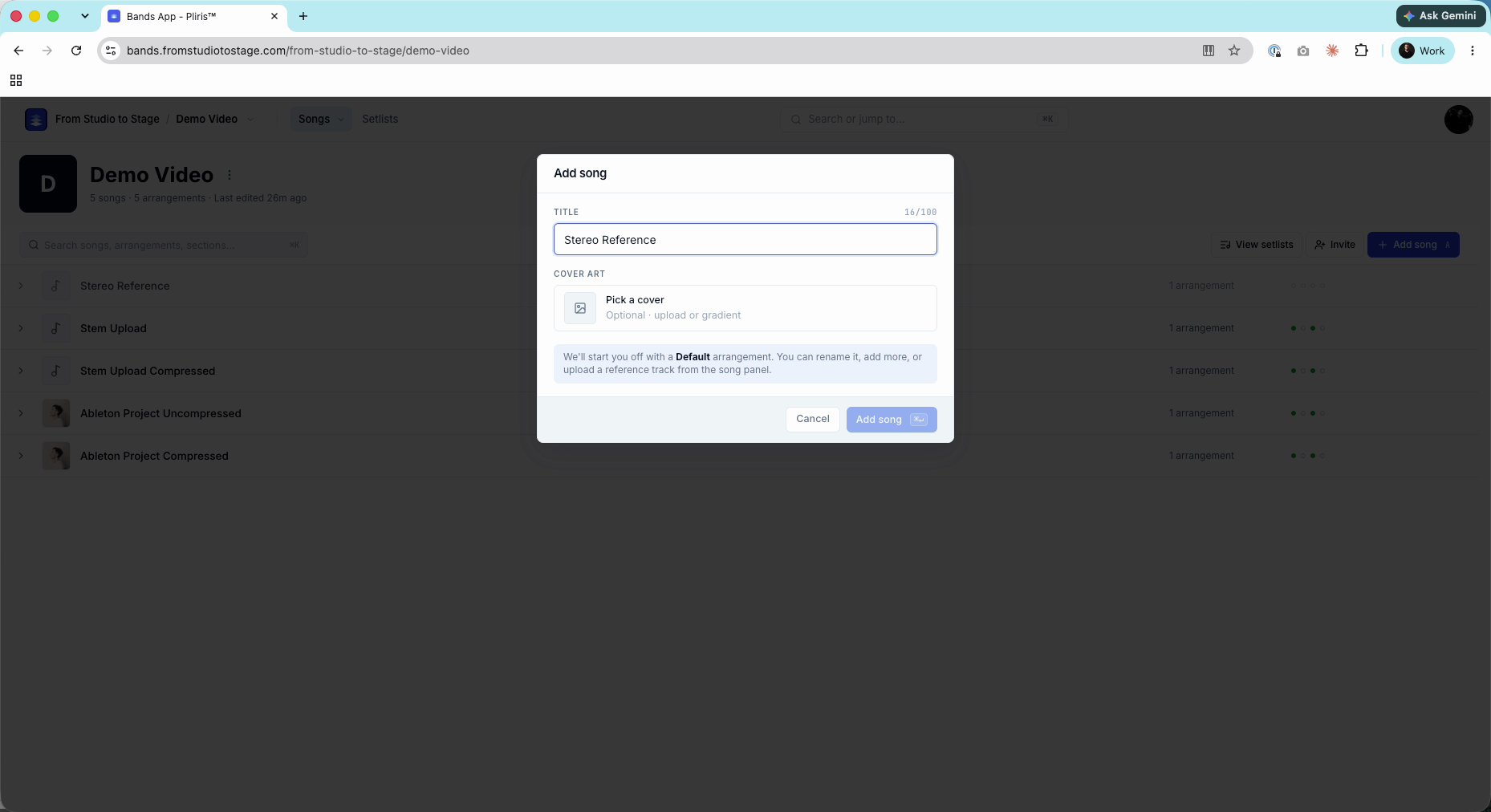
- In your band's song list, click Add song.
- Enter a Title. Cover art is optional. Pliris starts the song with a Default arrangement.
Upload the recording
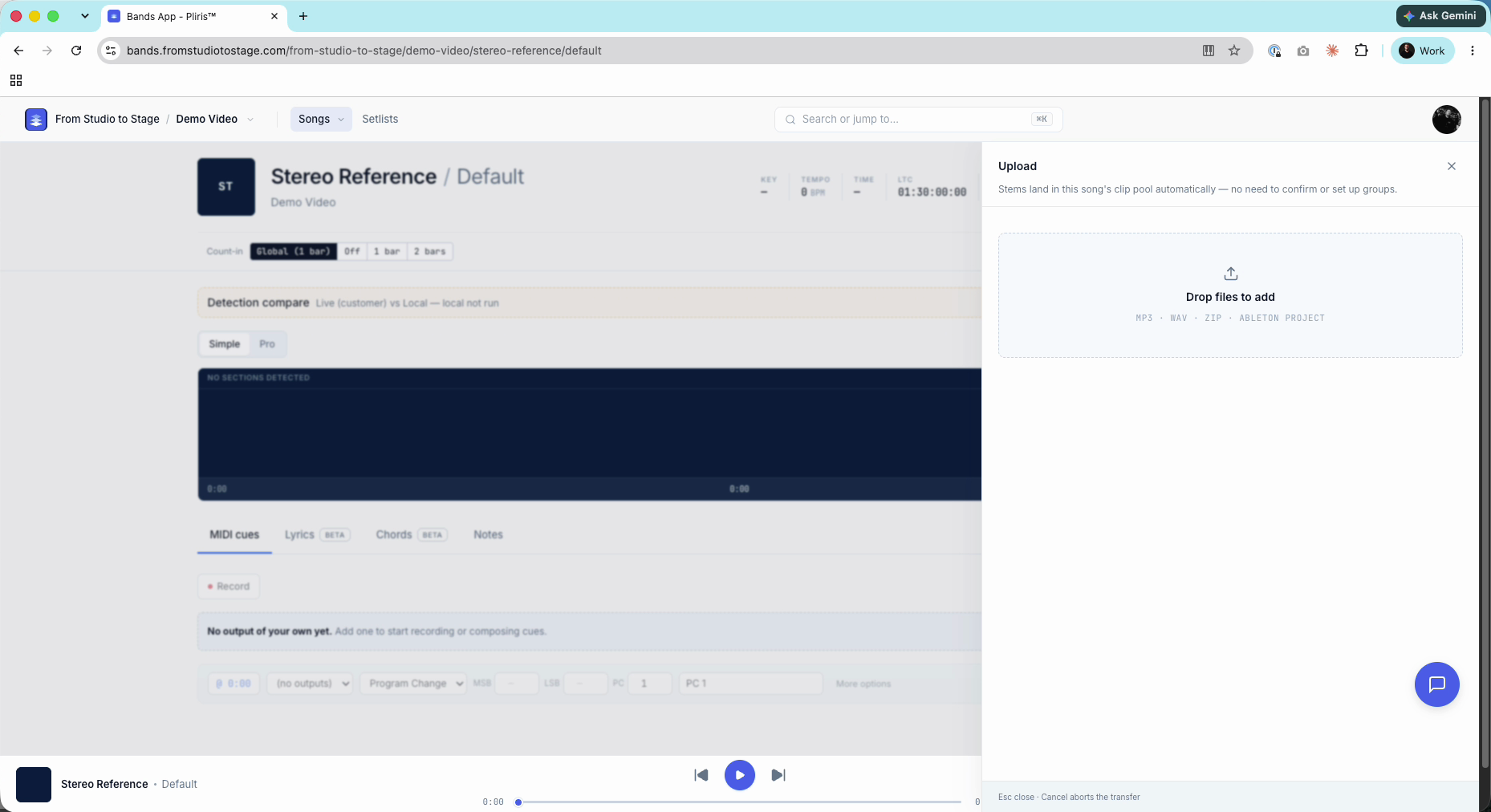
- The song opens with the Upload panel. Drop your file in, or click Drop files to add and choose it. MP3 and WAV both work.
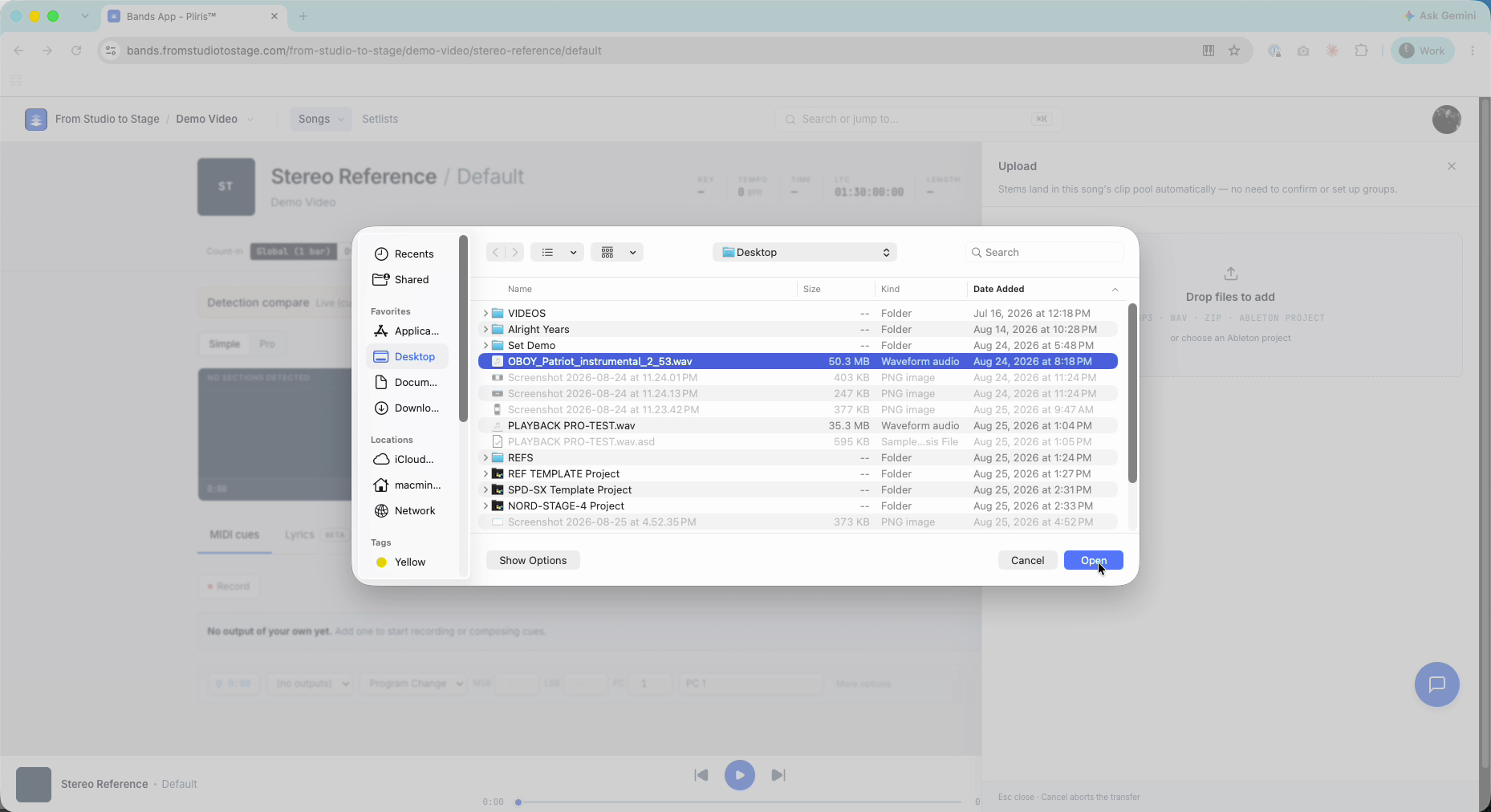
While it uploads, tick the analysis you want:
- Key, Tempo, Time Signature and Sections (about 20 credits)
- Lyrics and Chords (about 60 credits)
Each option is its own credit charge. Both together is about 80 credits for a typical 4-minute song. See Credits Explained.
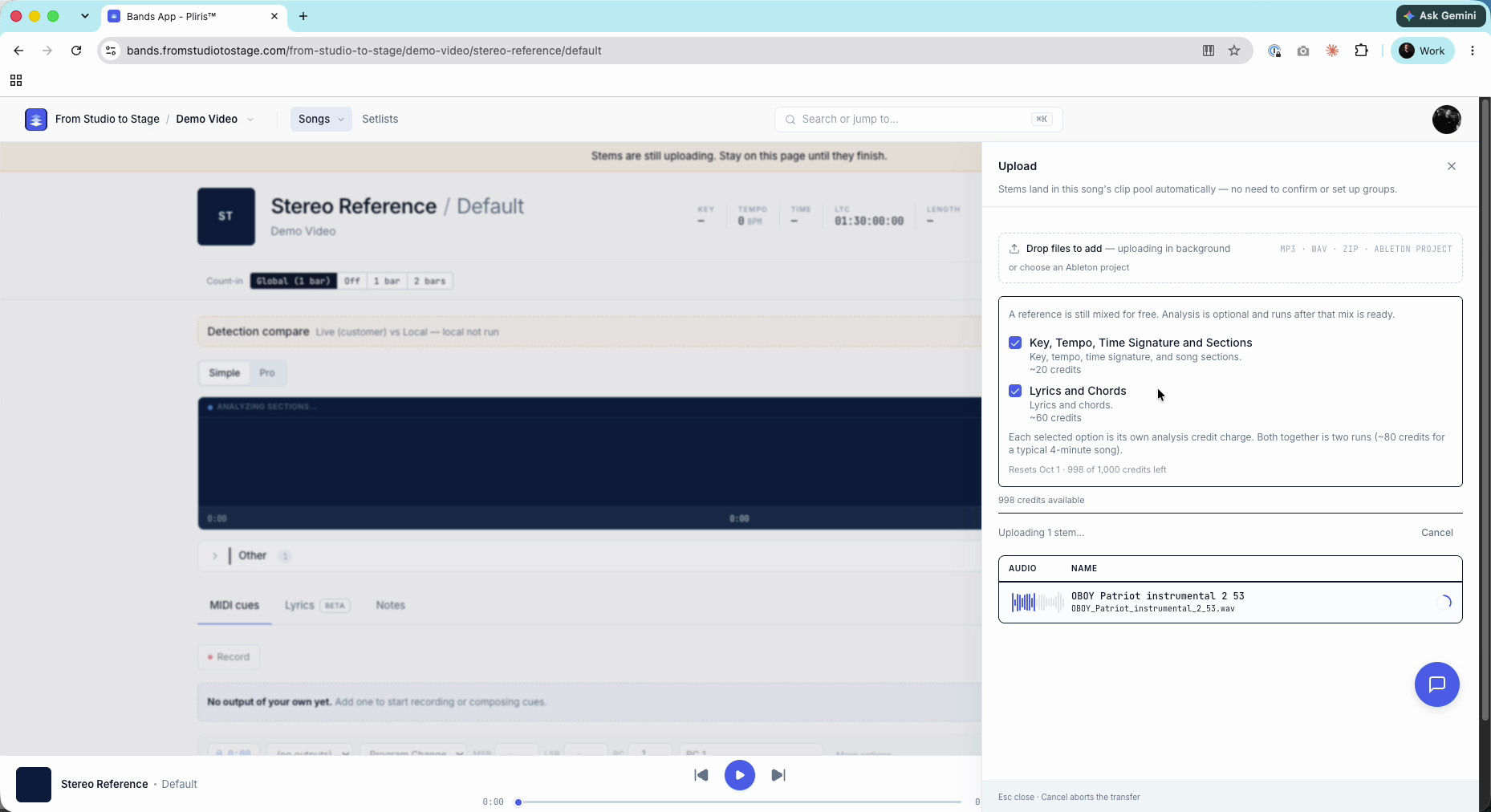
- When the upload finishes, the file appears in the Other group and analysis starts. You can leave the page.
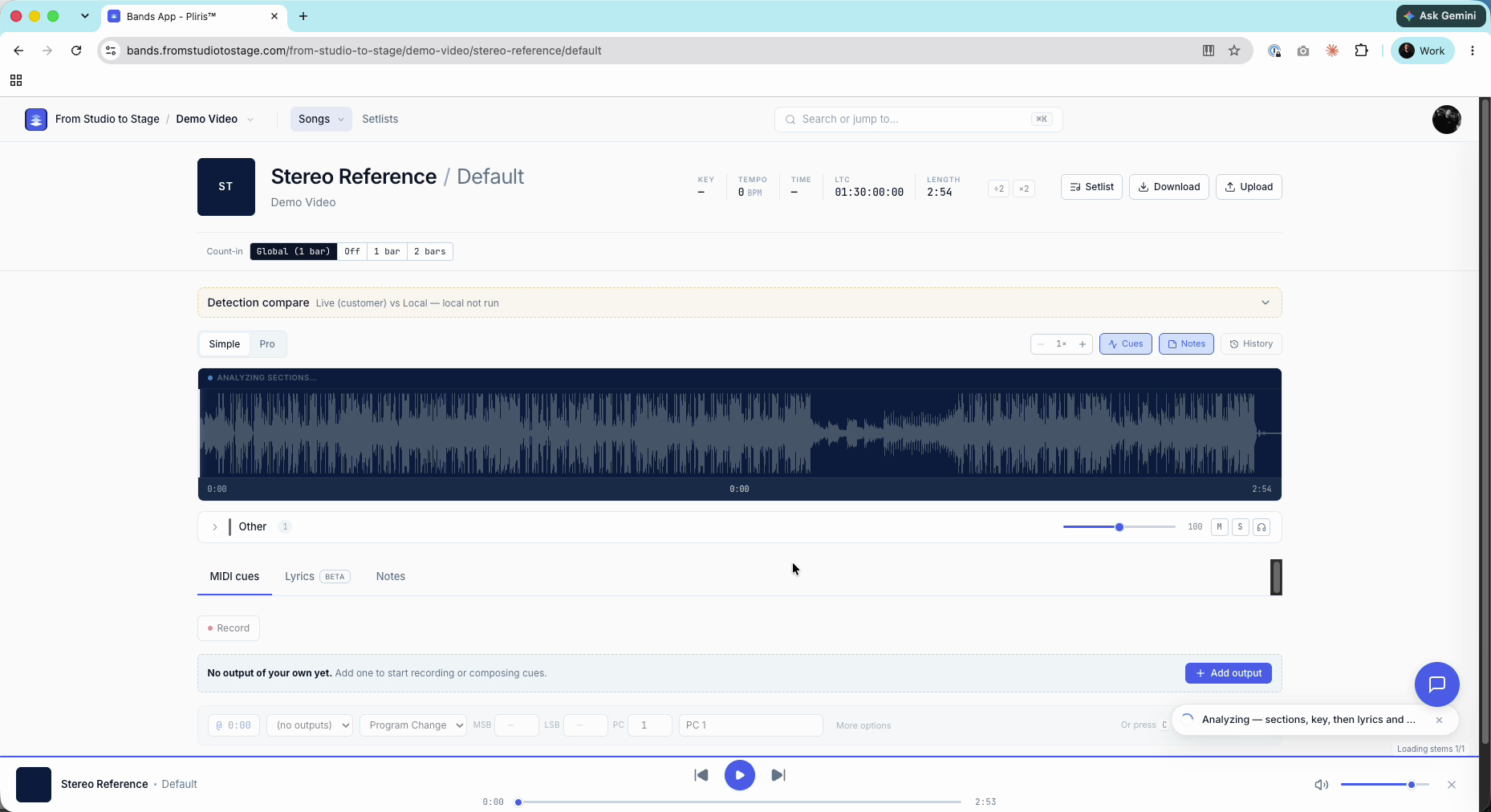
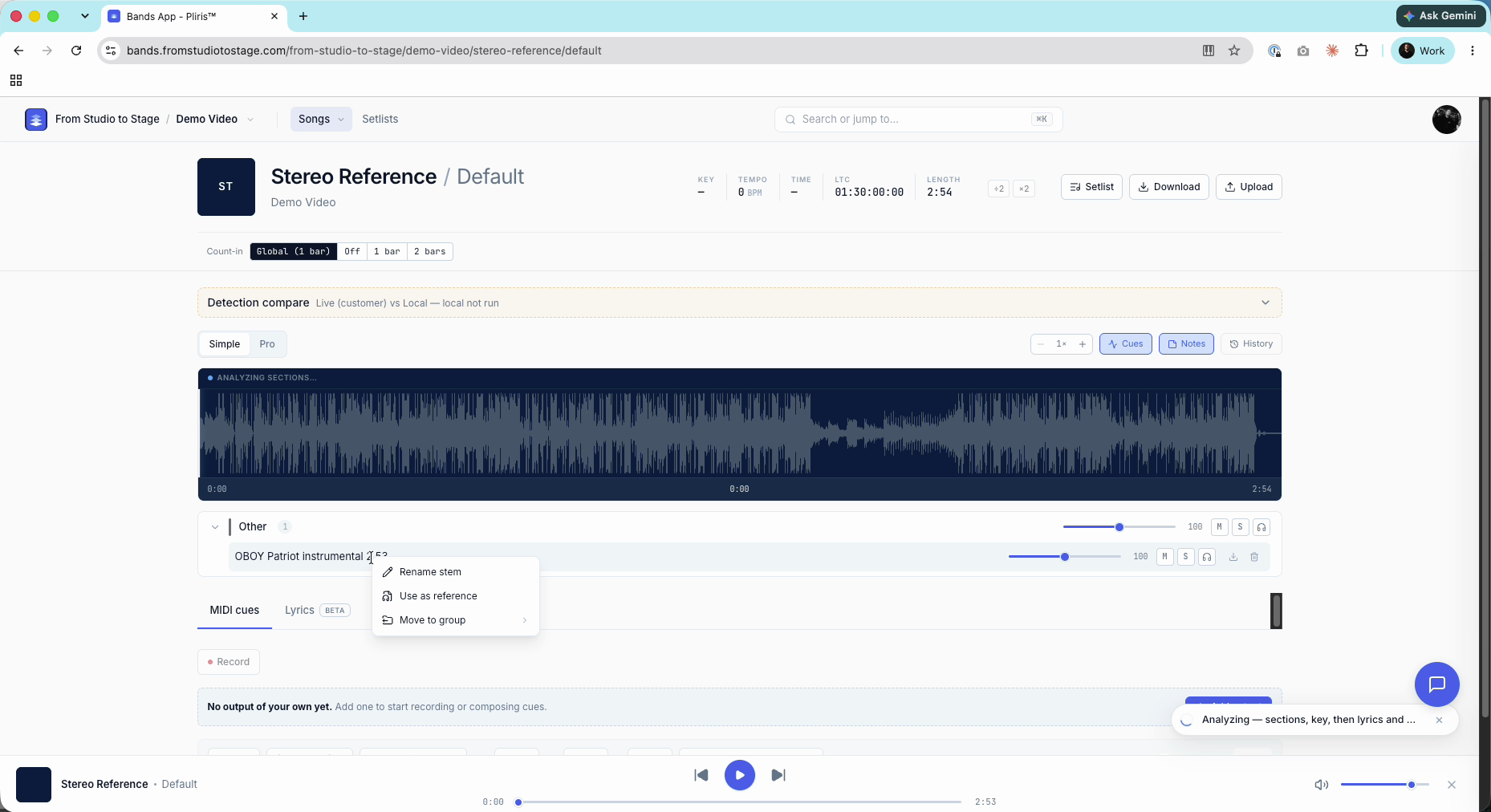
Set it as the reference
- Right-click the file and choose Use as reference.
- Confirm the prompt. The file moves to the Reference group.
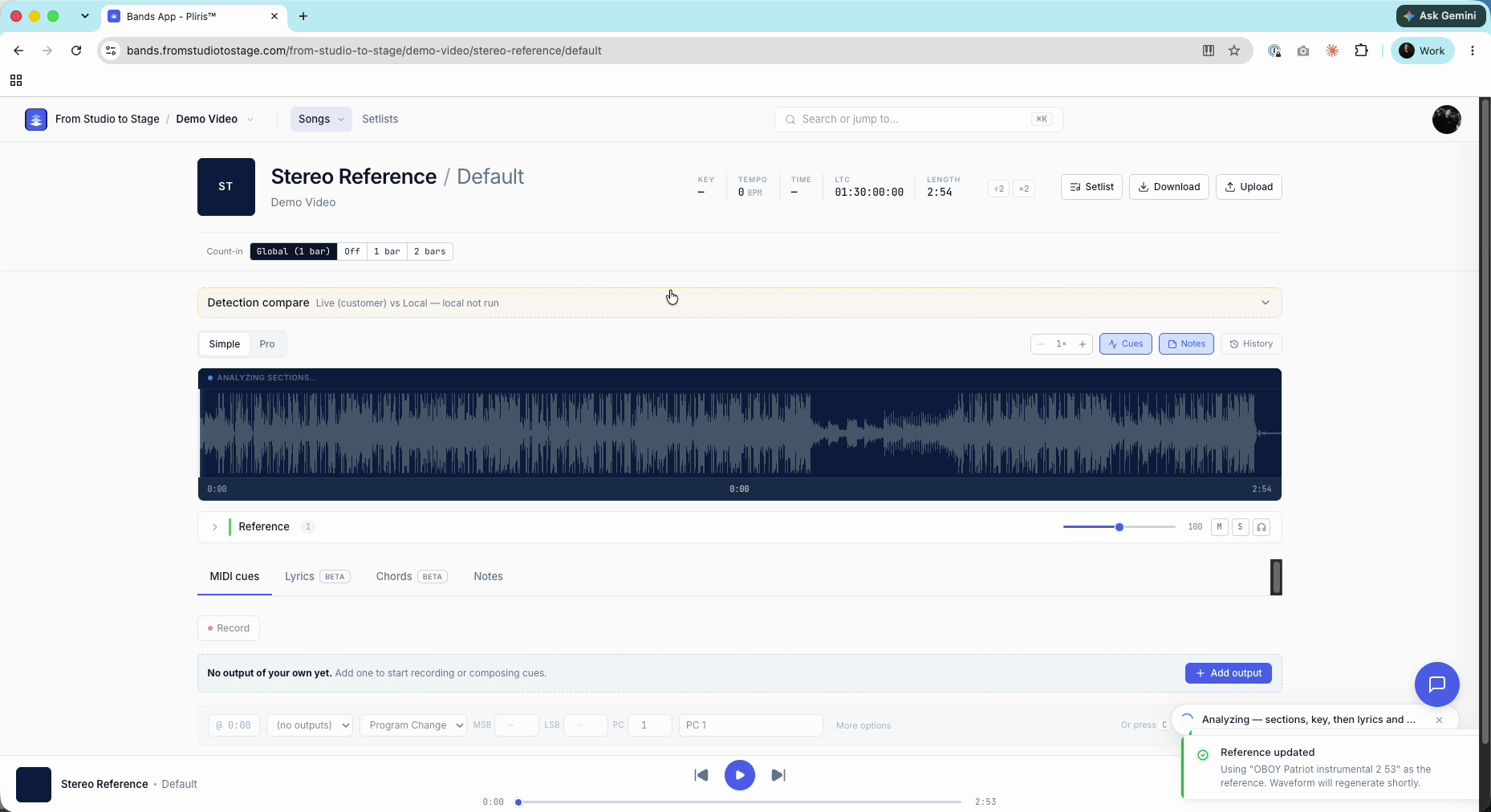
Key, tempo, time signature and sections appear first. Lyrics and chords take a little longer.
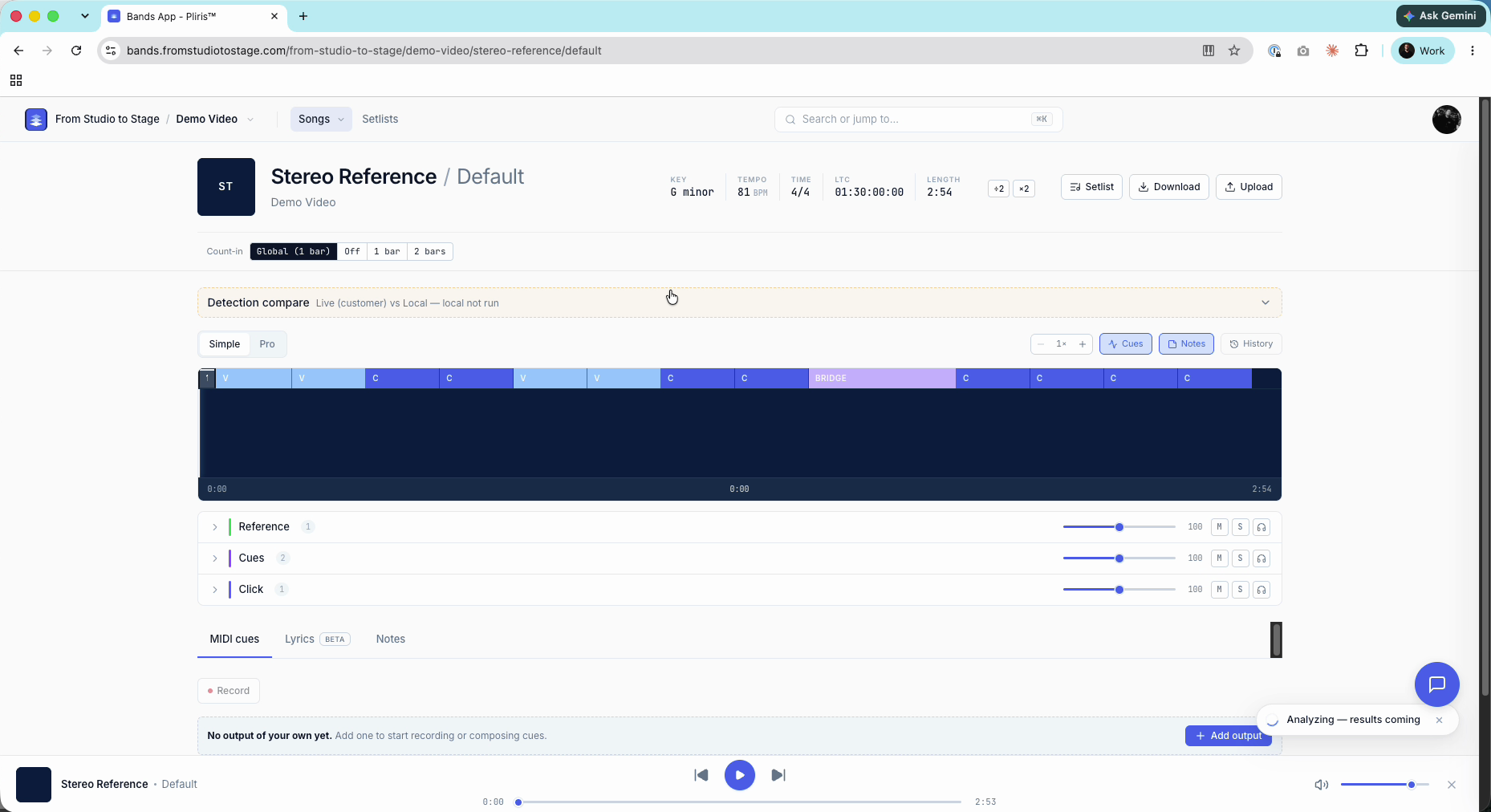
From here you can add the song to a setlist like any other. If you get stems later, upload them to the same song. See Uploading and Analyzing Your Stems.
Frequently asked questions
Can Pliris turn a stereo mix into stems?
No. Uploading a stereo recording gives you that one file and its analysis, not separate stems.
How do I upload a rehearsal recording to Pliris?
Add a song, drop the recording into the Upload panel, tick the analysis you want, then right-click the file and choose Use as reference.
Why is my file in the Other group?
A single mixed file isn't sorted into an instrument group. Right-click it and choose Use as reference to move it to Reference.
How many credits does analyzing a stereo recording use?
About 20 credits for Key, Tempo, Time Signature and Sections, and about 60 for Lyrics and Chords, about 80 together for a typical 4-minute song.