Fixing a Wrong Time Signature
When analysis reports a bar of 6/4 (or another odd meter) that isn't really there, find it in Pro mode's Meter lane, right-click it, and pick the right time signature. The fix carries straight into your Ableton export.
Analysis can mistake two short bars for one long one. The most common case is a 4/4 bar followed by a 2/4 bar, which shows up as a single bar of 6/4. Left alone, your click and count-in count six. Fixing it takes one right-click.
Watch the lesson: this article goes with Fix a wrong time signature, part of the Using Pliris to Program, Practice, and Perform course.
Spot the change
The Time field in the arrangement header lists every meter in the song, for example 4/4 · 6/4. A small ! next to it means the song has a time signature change.
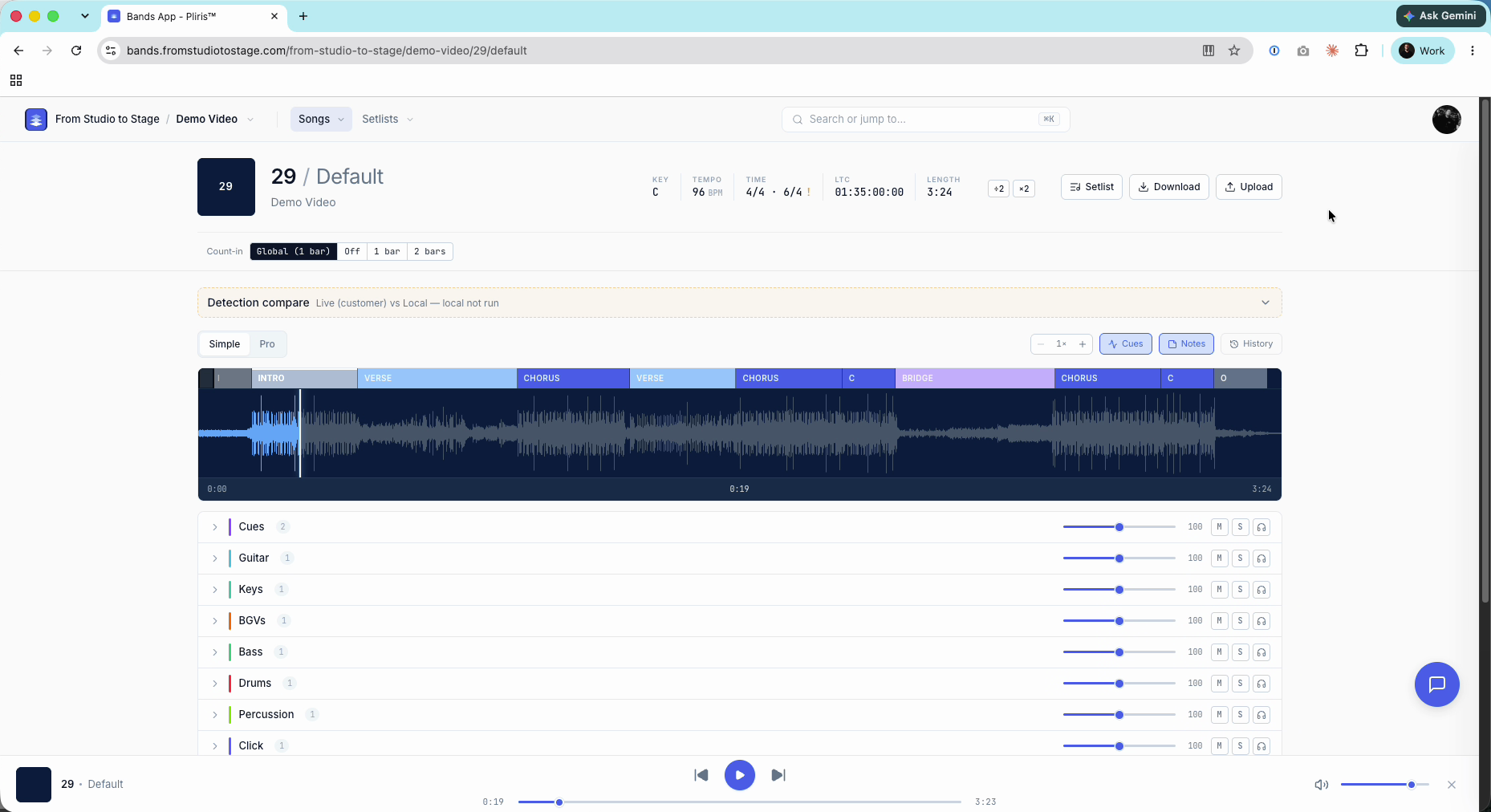
Fix it in Pro mode
- Press Tab to switch to Pro mode. The Measures, Meter and Tempo lanes appear above the waveform.
- Zoom in and scroll to the change. Each meter is a block in the Meter lane that starts where it changes.
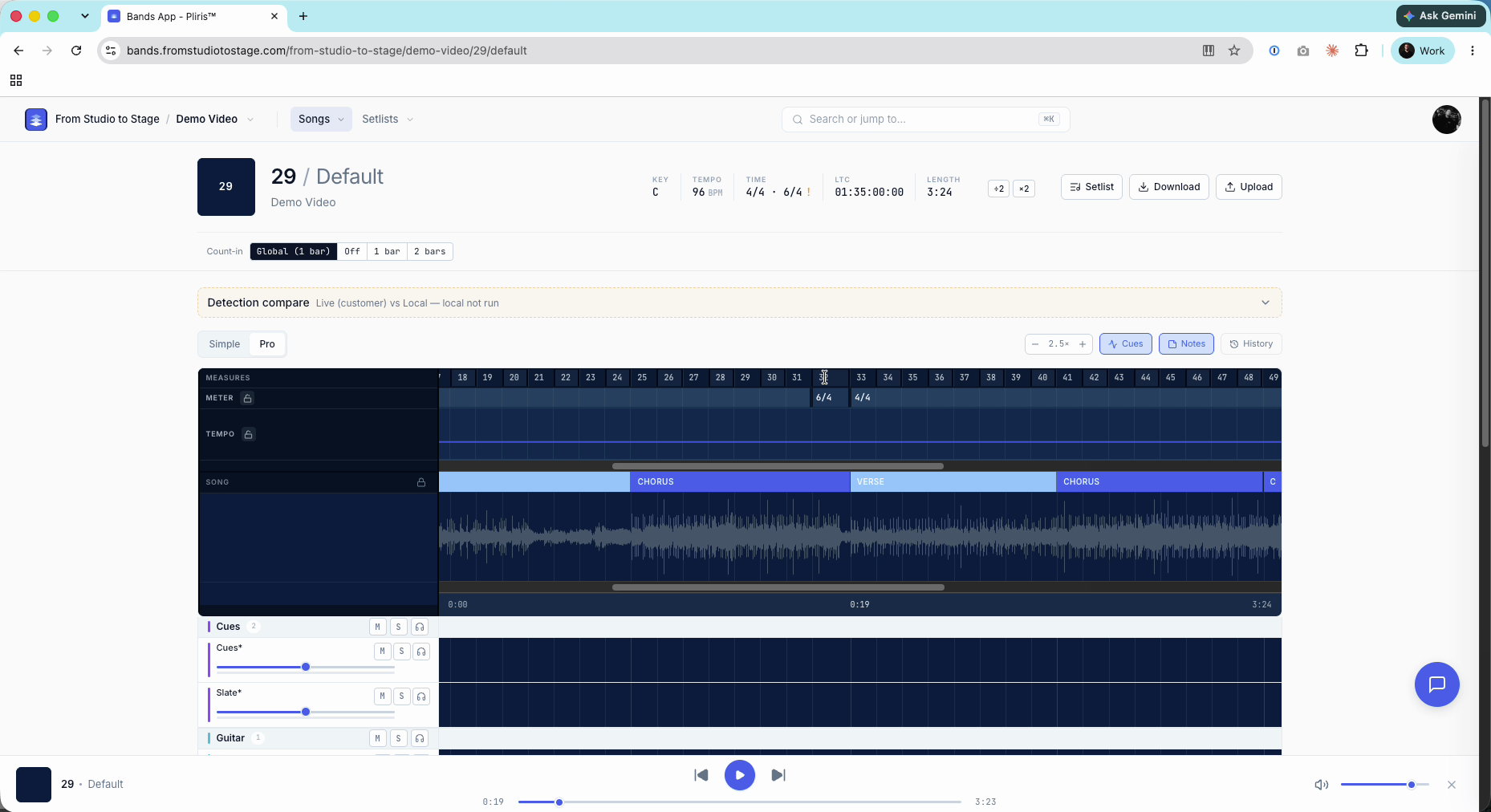
- Play the passage and count it. Work out what the bar really is, for example four beats and then two.
- Right-click the block and choose the right meter: 4/4, 3/4, 2/4, 6/8 or 12/8. The new meter runs until the next change.
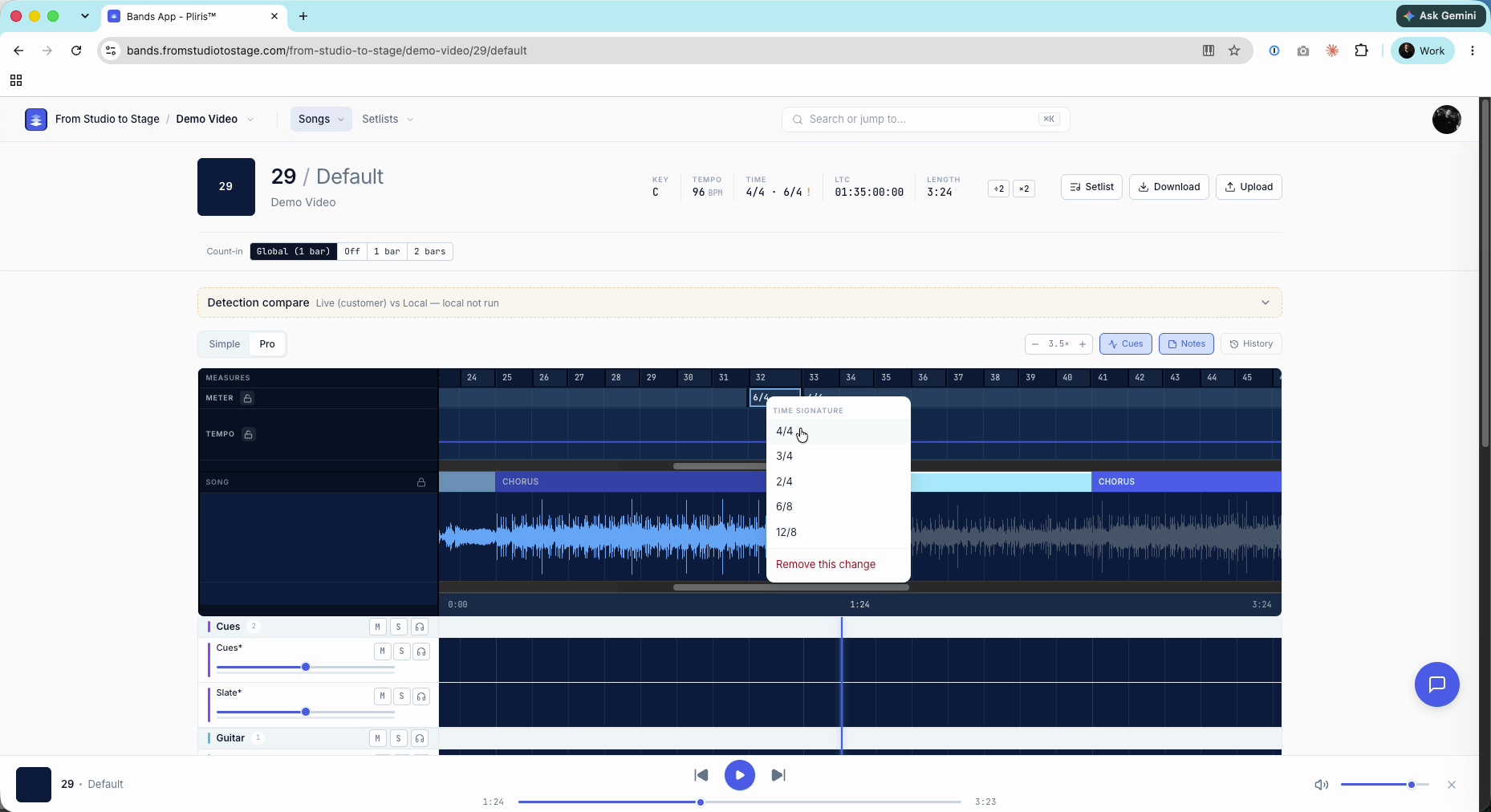
A toast confirms the change and offers Undo. Play it back and count again to check.
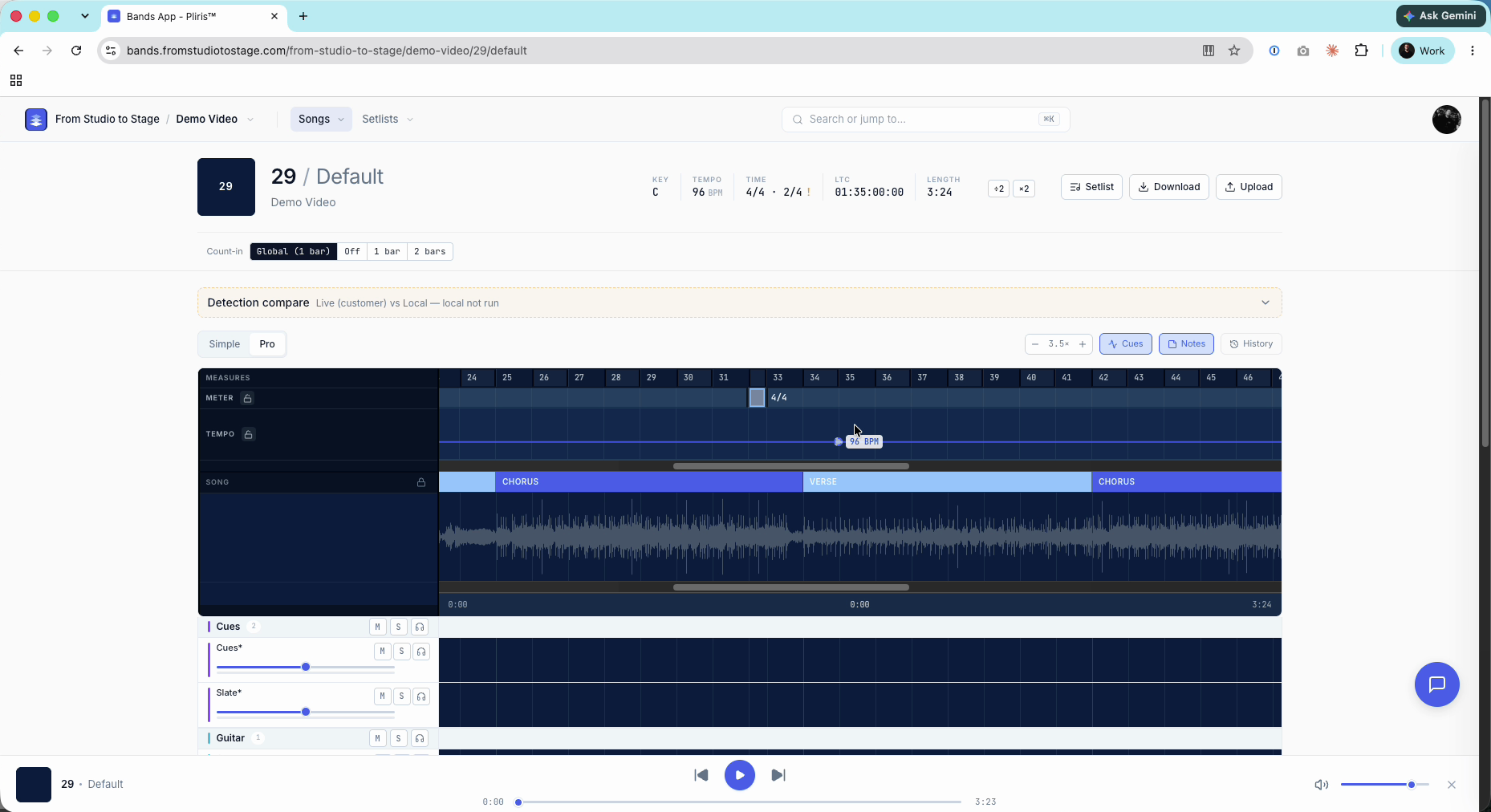
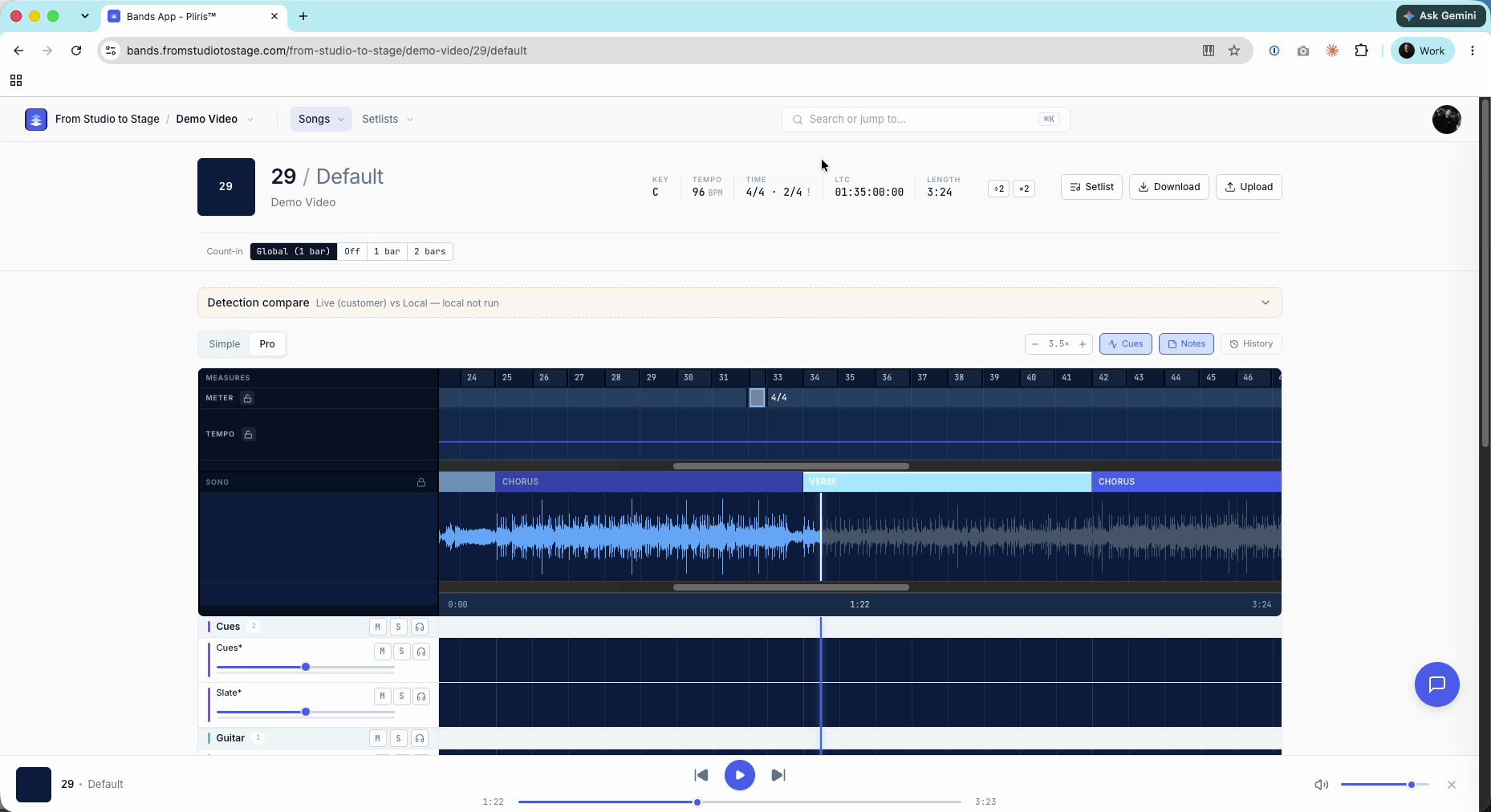
Pro tip: Click the padlock next to Meter to lock the lane once it's right, so a stray click can't move it.
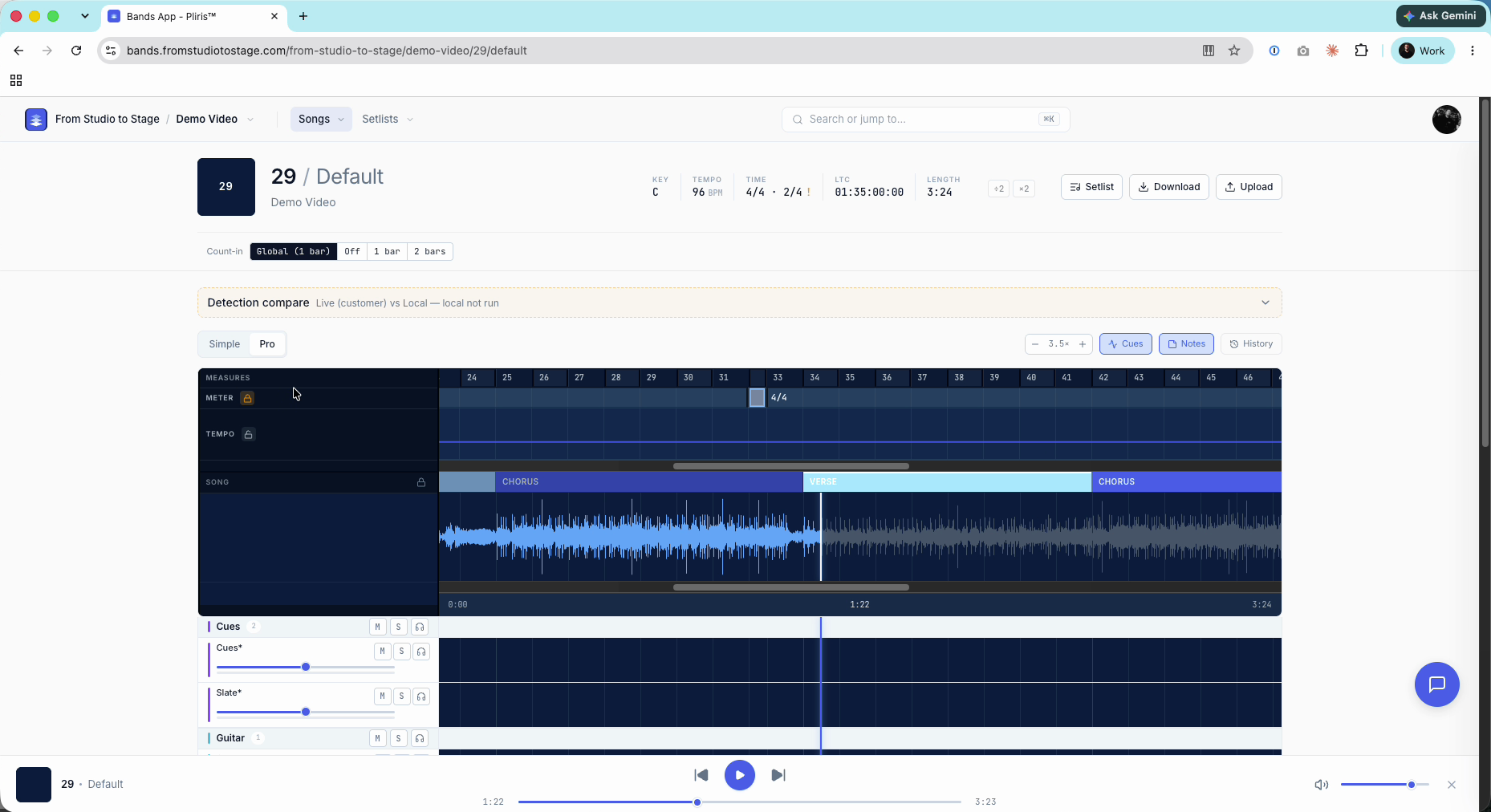
To delete a change instead, right-click it and choose Remove this change. The previous meter carries on. Refresh before you press Play after a delete.
It carries into Ableton
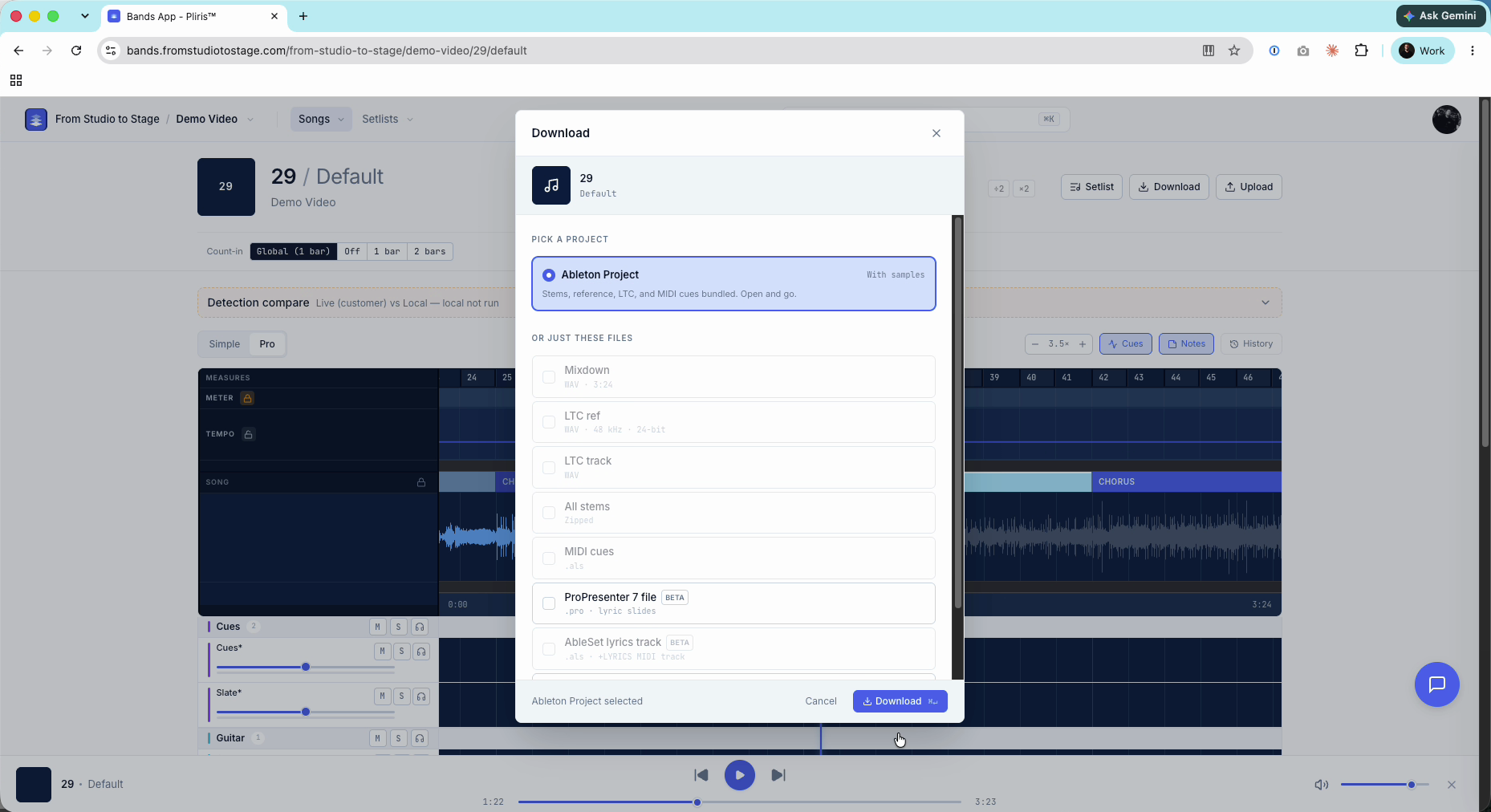
Click Download and choose Ableton Project. The export uses the corrected meter, and your cues follow it. You don't need to fix it in Ableton and re-import.
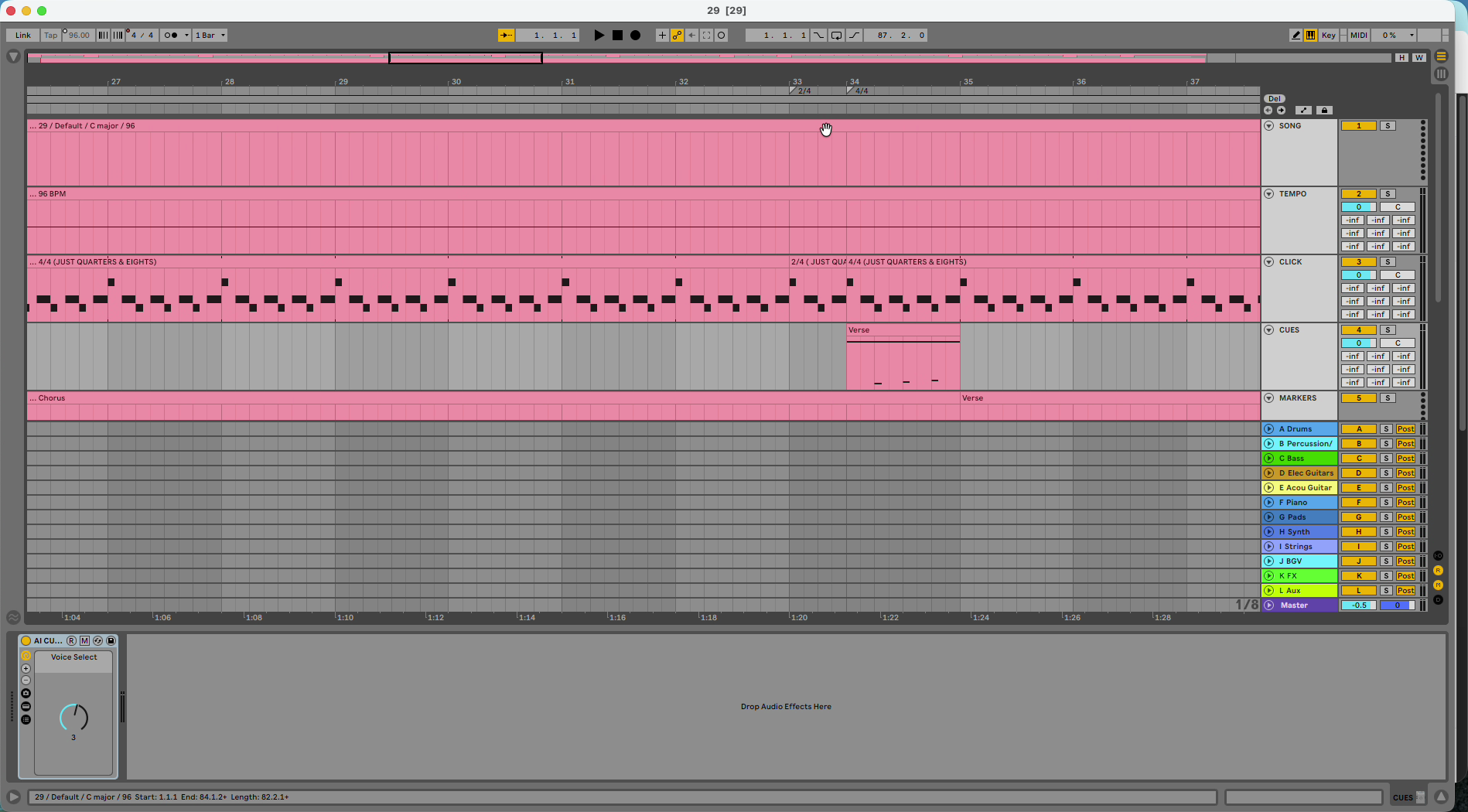
In Ableton the bar number is one higher (measure 33 instead of 32) because the export starts with a count-in bar.
For every grid edit (meter, tempo and sections) see Editing the Grid: Tempo, Meter and Sections.
Frequently asked questions
Why does Pliris show a 6/4 bar in my 4/4 song?
Analysis heard a 4/4 bar and a 2/4 bar as one long bar. Right-click it in the Meter lane and set it to the meter it really is.
How do I change a time signature in Pliris?
Press Tab for Pro mode, right-click the block in the Meter lane, and choose 4/4, 3/4, 2/4, 6/8 or 12/8.
Does changing the time signature change my audio?
No. It changes the grid (bar lines, click and count-in), not your stems.
Will my Ableton export use the new time signature?
Yes. Download an Ableton Project after the fix and the new meter is in the set, with your cues updated.
What does the exclamation point next to Time mean?
It marks a song with a time signature change, so you can check that the change is real.