Settings → Account, You and Labs
The settings that reach beyond one band: Members and Plan & billing for the whole account, your own Profile, and the Beta features you can opt a band into.
The bottom of the Settings rail is the part that is not about one band. Account applies to every band the account owns. You follows your login everywhere. Labs is early access, opted into per band but kept apart so it is never mistaken for a normal setting.
Account
Members
Who can reach this account, and which bands they can see. Invite someone by email, pick their role, and choose the bands they get. The band switcher is disabled on this page because a member change is account-wide.
Roles and what each one can do are in Band Access Levels. The invite flow is in Inviting Band Members.
Plan & billing
Your plan, payment method, invoices, storage, and analyze credits. Only account admins see this page. Band admins do not manage billing, so the row is hidden for them rather than shown and dead.
What each plan includes and how credits work is in Plans, Credits, and Billing and Credits Explained.
You
Profile
Your name and avatar, edited here, and your login email, shown here. Your email is the login for every Pliris app. To change it, or to reset your password, contact support from the bubble on any page and your account is moved across without losing any bands. See Signing In to Pliris and The Pliris Account Menu.
Labs
Beta features
Early-access features you can turn on per band. They need a paid Pliris plan or an active Guest Pass, and they stay off until you switch them on. Right now:
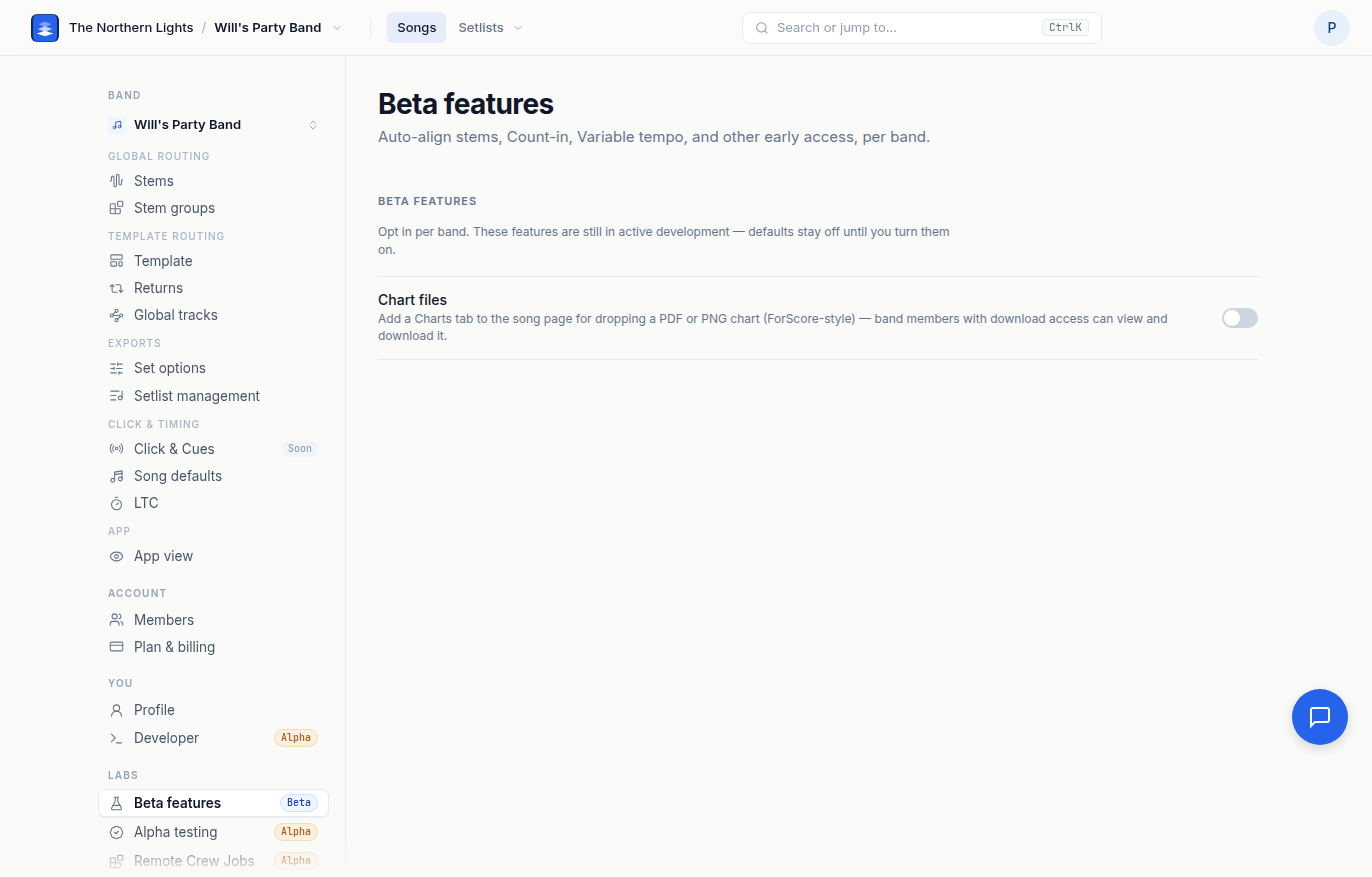
- Chart files. Adds a Charts tab to the song page for dropping a PDF or PNG chart, ForScore-style. Band members with download access can view and download it.
- Pliris Bot. Text, WhatsApp, Slack, or Telegram Pliris to ask about your songs and setlists and build Ableton sets. Turning it on adds Settings → Pliris Bot, where you connect each channel. Needs an active Pliris subscription, and only an account admin can switch it on. See Pliris Bot.
Each switch saves for the band in the switcher. Features graduate out of this page as they ship, so the list changes over time.
Frequently asked questions
How do I add someone to my Pliris account?
Open Settings → Members, invite them by email, pick a role, and choose which bands they can see. See Inviting Band Members.
Where do I change my Pliris email address?
Your email is shown on Settings → Profile but is changed by support, so nothing about your login breaks. Click the support bubble on any page and ask; your bands come with you.
Why can't I see Plan & billing?
Only account admins manage billing. If you are a band admin the row is hidden. Ask the account owner to change your role or to make the billing change.
How do I turn on a beta feature?
Open Settings → Beta features under Labs and switch it on for the band in the switcher. You need a paid plan or an active Guest Pass.