Settings → Global tracks
The header tracks at the top of every song and every set (SONG, SECTIONS, TEMPO, CLICK, CUES, LTC, REF TRACK and the rest): where each one outputs, whether it loads on or muted, and its Ableton color.
Settings → Global tracks covers the header tracks the template puts at the top of every song and every built set: SONG, SECTIONS, TEMPO, CLICK, CUES, SONG TITLE SLATE, LTC, REF TRACK and so on. Which tracks appear depends on the template you are on. Intro ships 5, Standard 8, Pro 11, and a custom template ships whatever you authored.
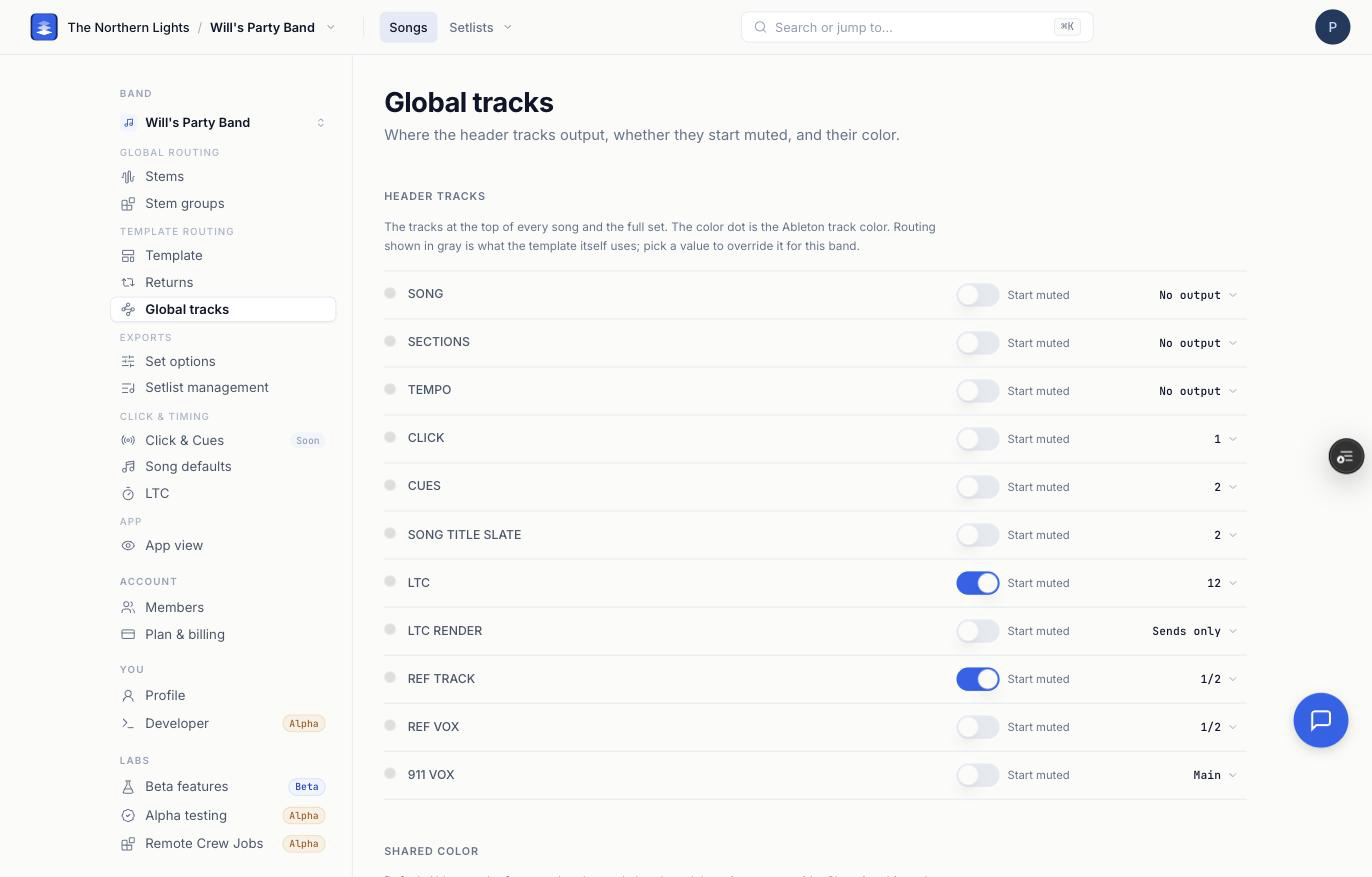
Header tracks
One row per track, with three controls:
- Color dot. Click it to give this track its own Ableton color. A track with its own color shows as an override; use Reset in the picker to send it back to the shared color.
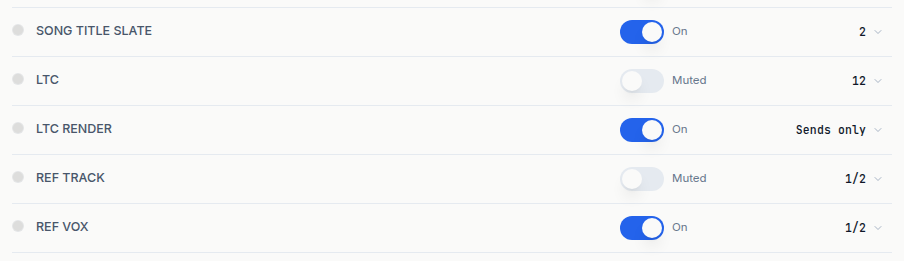
- On / Muted. Whether the track sounds when the exported set opens. The switch shows the track's state: on means the track is on, off means it loads muted, and the label beside the switch reads On or Muted to match. On the built-in templates both directions work. On a custom template this switch can only mute. A track you authored muted stays muted even with the switch on.
- Output. Where the track goes in Live. Gray is what the template itself does; pick a value to override it for this band. The picker is the same one the Returns page uses: Sends only, No output, Internal routing to one of the template's tracks, Main, stereo pairs 1/2 to 31/32, and mono external outs 1 to 32.
Sends only means no main output: the track is heard only through a send to a return track, so it is silent if nothing sends it anywhere. Pro's LTC Render works this way. No output never plays. Reset to template in the picker undoes an override.
A global track can also feed a return track while keeping its own output. On Settings → Returns, global tracks are the pink pills; click + on a return to add one, for example Click and Cues on a monitor-mix return.
LTC and REF TRACK ship muted by default. Their switches show Muted. If you want timecode audible on its output, turn LTC's switch on, and check where LTC is routed before you do, because it will then be heard on whatever it feeds. See Sending LTC / SMPTE Timecode to External Gear.
Shared color
The default Ableton color for every header track that does not have its own override. Changing it updates those tracks only. Tracks you gave their own color stay put until you reset them.
Like Returns, this page is saved per band and per template. Switch templates and you see that template's header tracks with their own settings.
For a step-by-step walkthrough, see Routing Global Tracks in Your Ableton Export.
Frequently asked questions
How do I make the click go to its own output in Ableton?
Open Settings → Global tracks, find CLICK, and click its output value. Pick the stereo pair or mono out your interface uses. The exported set routes CLICK there.
Why is LTC muted in my exported set?
LTC and REF TRACK ship muted by default so timecode and a reference mix are never heard by accident. Turn LTC's switch on (it then reads On) on Settings → Global tracks to have it sound, and check its output first.
Why can't I unmute a track on my custom template?
On a custom template, the switch can only mute. A track you authored muted in your own Live Project stays muted even with the switch on. Unmute it in Live and re-upload the template.
What does the switch next to each header track mean?
It is the track's on/off state when the exported set opens. On (the label reads On) means the track sounds. Off (the label reads Muted) means it loads muted in Live.
How do I change the color of the header tracks?
Pick a Shared color to change every header track at once, or click a track's own color dot to override just that one. Reset in the picker returns a track to the shared color.