Settings → Set options
How songs are laid out when a whole set is built: the gap left between them, and the color sequence songs cycle through.
Settings → Set options decides how songs sit next to each other when you build a whole set. It has no effect on a single-song export.
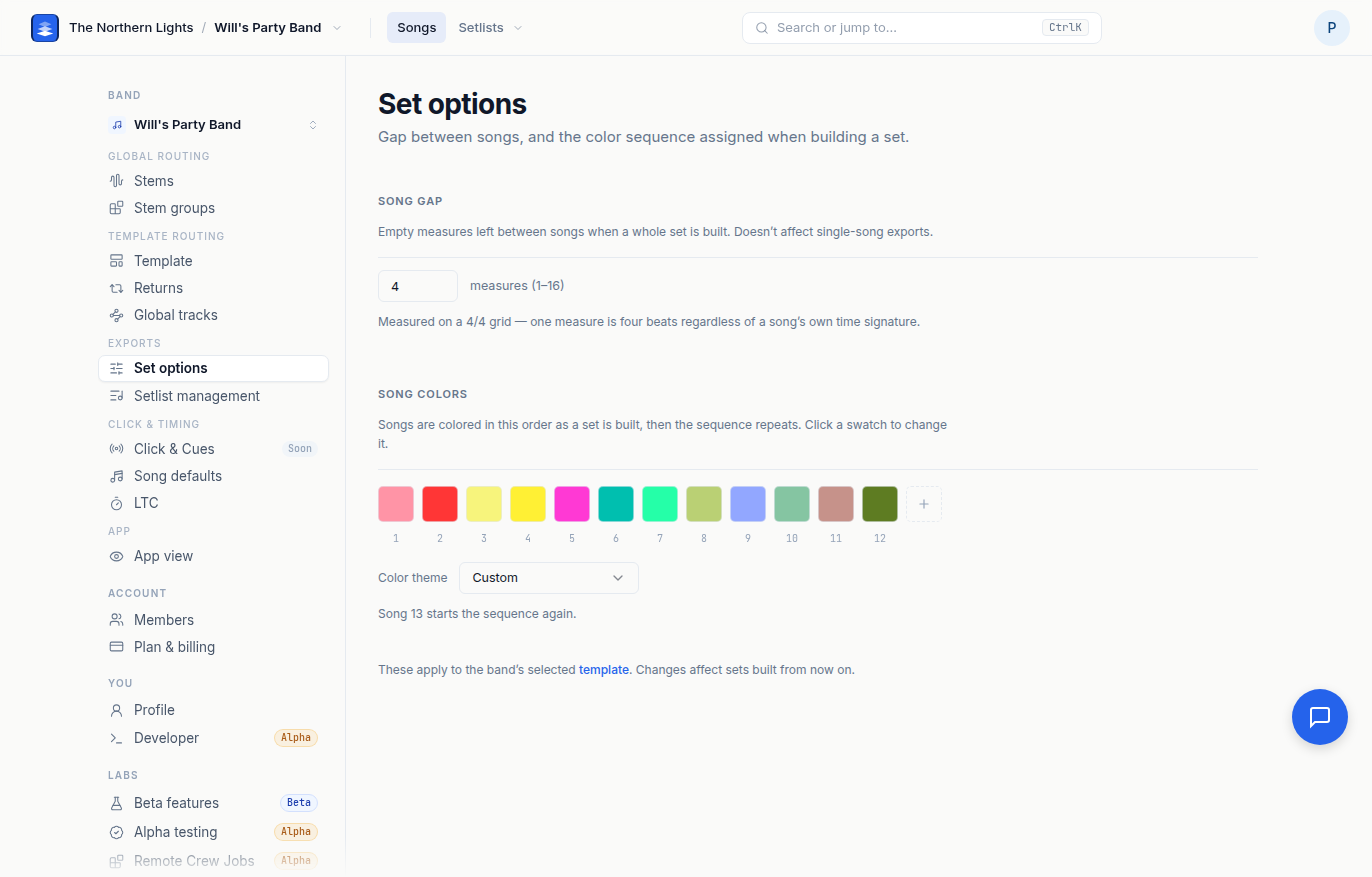
Song gap
The number of empty measures left between songs when a set is built, from 1 to 16. Type a number and click away or press Enter. The toast confirms the new gap.
The gap is measured on a 4/4 grid, so one measure is four beats regardless of a song's own time signature. A longer gap gives your player more room between tunes without touching either song. Changes affect sets built from now on. Locators for your setlist system are a separate setting; see Settings → Setlist management.
Song colors
Songs are colored in this order as a set is built, then the sequence repeats. The color reaches the song's group track, its marker clip, its sections and its click clips in the exported Live Set, so the color you see in Pliris is the color you see in Live.
- Click a swatch to change that position's color from the Ableton palette.
- Add a color extends the sequence, up to 24 positions. The × on a swatch removes it.
- The scheme picker underneath regenerates the sequence from your first color: Single color (every song the same), Complementary (alternates between two hues), Even spread (hues spaced evenly so the whole set is distinct), or Golden angle (rotates 137.5° each step so neighbors contrast and colors rarely repeat).
The scheme is read from your sequence rather than stored separately, so the picker always tells the truth about what the sequence currently is.
Set options are saved per band and per template, like the rest of the export settings.
Frequently asked questions
How do I change the gap between songs in an exported set?
Open Settings → Set options and set Song gap to the number of empty measures you want between songs, from 1 to 16. It applies when you build a set, not to single-song exports.
How do I change the song colors in my Ableton set?
On Settings → Set options, click any swatch under Song colors to change it, or pick a scheme (Single color, Complementary, Even spread, Golden angle) to regenerate the whole sequence from your first color. Songs cycle through the sequence in order.
Does the song gap affect single-song exports?
No. The gap is only used when a whole set is built. A single-song export starts at bar 1 with the song's own count-in.
Why does my set repeat colors?
The sequence repeats once a set has more songs than the sequence has positions. Add more colors, up to 24, or pick Even spread or Golden angle to keep neighbors distinct.