Settings → Setlist management
Pick the setlist system your exports are written for (None, Setlist, AbleSet, LIOBOX, Conductor or TAZ) and switch its stop locators, section locators, song metadata, guide cues and lyrics track on or off.
Settings → Setlist management decides how your exported set is organized for the setlist app you run the show from. Each system reads locators differently, so Pliris writes them in the format that system expects and gives you that system's own options.
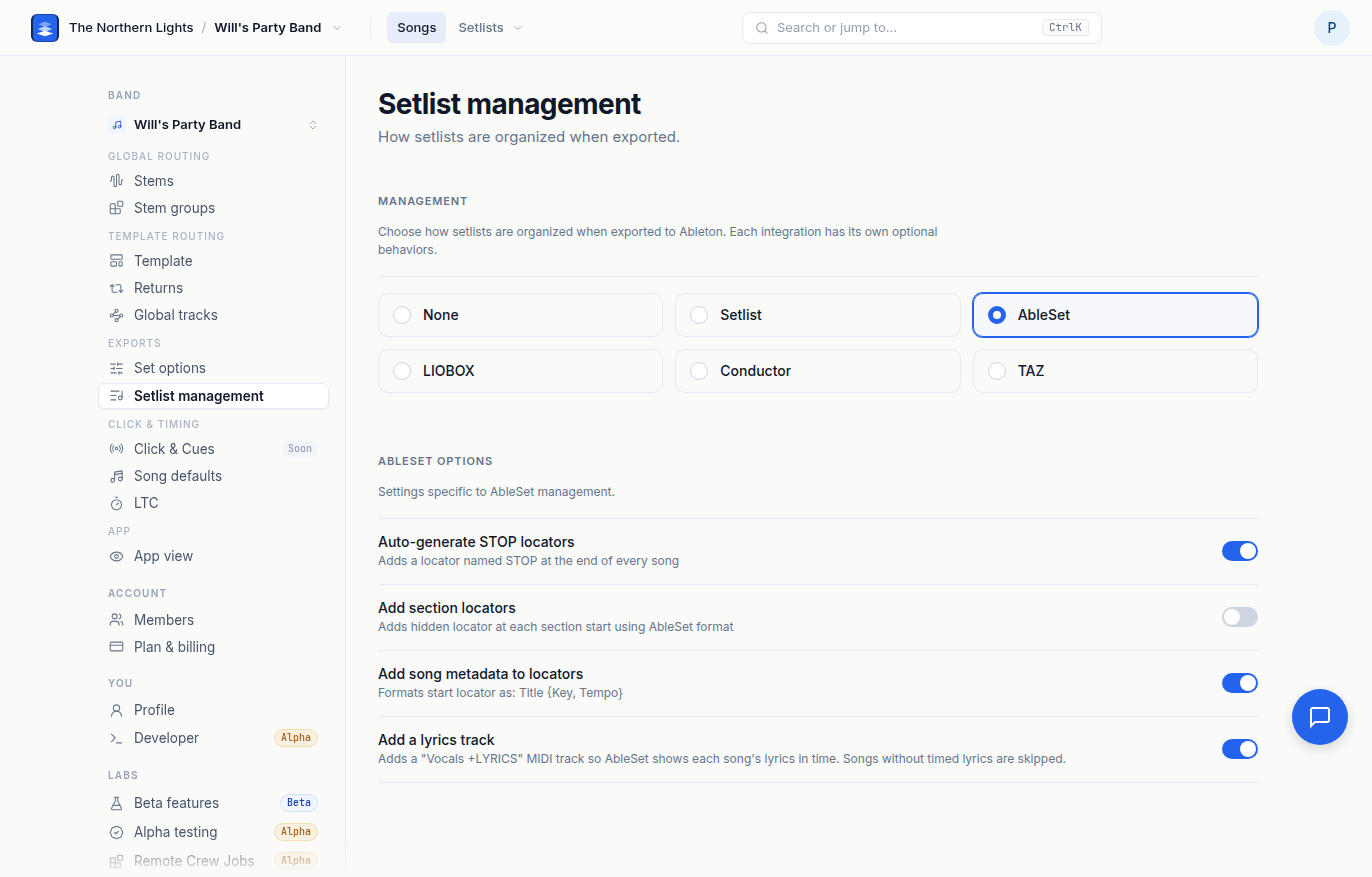
Management
Pick one:
| Choice | What it does |
|---|---|
| None | Nothing extra is written. |
| Setlist | Locators in the Setlist app's format. |
| AbleSet | Locators in AbleSet's format, plus an optional lyrics track. |
| LIOBOX | Locators in LIOBOX's format. |
| Conductor | Locators in Conductor's format. |
| TAZ | STOPALL and section locators for TAZ. |
The change saves immediately and the section underneath changes to that system's options. For the walkthrough, from choosing a tool to checking the export in AbleSet, see Exporting Your Songs for AbleSet, LIOBOX and TAZ.
Options per system
The options are on by default when you pick a system, because the locators are what "pick this integration" means. Turn any of them off if your rig does not want them.
- Auto-generate stop locators. Adds the system's stop marker at the end of every song:
(STOP)for LIOBOX,STOPfor AbleSet,AUTO STOPfor Setlist,*stopfor Conductor,STOPALLfor TAZ. - Add section locators. Adds a locator at each section start, in the system's own format (AbleSet and LIOBOX use hidden locators; Setlist uses
_Verse 1,_Chorusand so on). - Add song metadata to locators. Formats the start locator with the song's details:
Title {Key, Tempo}for AbleSet, BPM/key/duration for LIOBOX, title/duration/key for Setlist, duration in parentheses for Conductor. TAZ does not use it. - Add lyrics track (AbleSet only, off by default). Adds a
Vocals +LYRICSMIDI track so AbleSet shows each song's lyrics in time. Songs without timed lyrics are skipped. This does not work on custom templates yet, and the page says so when you are on one. - Add Chords to Lyrics Track (AbleSet only). Writes your chords into the lyrics track. Leave it off for lyrics only.
- Use AbleSet guide cues (AbleSet only). Marks the cues track
+GUIDEso AbleSet can mute upcoming-section cues when you loop or jump. - Add loop guide cues (AbleSet only). Adds a
+LOOPGUIDEtrack, muted by default. AbleSet swaps in the current section's cue while looping.
Setlist management is saved per band.
Frequently asked questions
How do I export a set for AbleSet from Pliris?
Open Settings → Setlist management and pick AbleSet. Leave stop locators, section locators and song metadata on, and turn on Add lyrics track if you want lyrics in AbleSet. Then build your set as usual.
How do I turn off the STOP locators?
On Settings → Setlist management, turn off Auto-generate stop locators under your system's options. The other options stay as they are.
Why is the lyrics track option grayed out?
The AbleSet lyrics track does not work on custom templates yet. Switch to the Standard or Pro template, or wait for custom-template support.
AbleSet skipped my song’s lyrics. Why?
The AbleSet lyrics track only includes songs that already have timed lyrics. Pasting or editing lyric text fixes words only. Key, Tempo, Time Signature and Sections does not time lyrics. Check Lyrics and Chords, with a lead vocal in the stems or a time-aligned reference that includes vocals. See Lyrics Text vs Timing (and AbleSet).
Which setlist system should I pick?
Pick the app you actually run the show from. If you do not use one, choose None and nothing extra is written. You can switch later and export again; see Exporting Your Songs for AbleSet, LIOBOX and TAZ.