Pliris Bot (Beta) — Ask by SMS, WhatsApp, Slack & Telegram
Message your catalog from SMS, WhatsApp, Slack, or Telegram — check keys and tempos, edit setlists, invite members, and build Ableton sets, all with your own permissions.
The fastest way to check a key or a tempo, tweak a setlist, or build an Ableton set: message it. No app to open, no login, no AI tool to set up — just a question sent from your phone or a chat app you already use.
Pliris Bot is the same assistant on every channel — SMS, WhatsApp, Slack, and Telegram — with the same questions, the same YES/PIN confirmations, and the same per-band permissions. Set it up once and use whichever channel is closest to hand. It's perfect for a band leader between sets, or anyone who'd rather not dig through screens to remember what key you're in.
It only ever acts as you. Every answer and action runs under your own permissions, role, and subscription — it can't see or change anything you couldn't already in the web app.
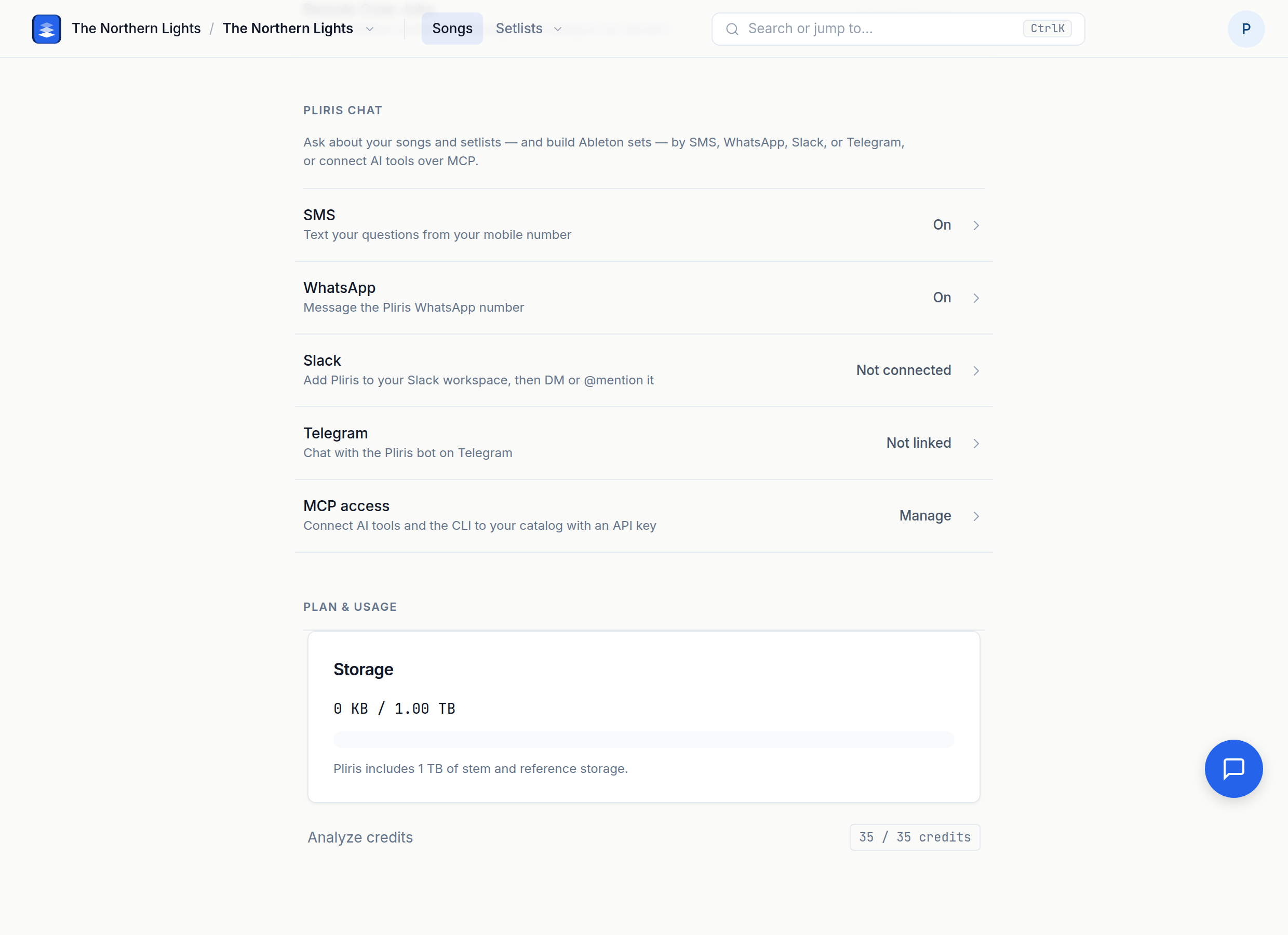
Turn it on
Pliris Bot is in beta and works for anyone with an active Pliris™ subscription (Guest Passes aren't included). It works end to end, but details may change while it's being refined.
1. Switch on the beta for your band
An account admin turns Pliris Bot on once per band:
- In the web app, go to Settings → Beta features (under Labs).
- Toggle on Pliris Bot for the band in the switcher.
- A new Settings → Pliris Bot page appears for everyone on that band with a subscription. Open it to finish setup.
Not an account admin? Ask yours to switch it on for your band. Once it's on, skip to step 2.
2. Enable it and add your number
The master switch and your mobile number live on the SMS page — SMS is the baseline phone channel. WhatsApp shares that same on/off switch and recognizes you by the same saved mobile number, but you message it at its own dedicated WhatsApp number (not the SMS number).
- Go to Settings → Pliris Bot → SMS.
- Toggle Enable Pliris Bot on. This turns the assistant on for all channels — SMS, WhatsApp, Slack, and Telegram.
- Enter your own mobile number — the number you'll be messaging from. US numbers can skip the country code. This is how Pliris recognizes you on both SMS and WhatsApp; it's the number you send from, not a number you send to.
- Save.
The page then shows you the number to message. Each of the other channels has its own page under Settings → Pliris Bot — set up only the ones you want.
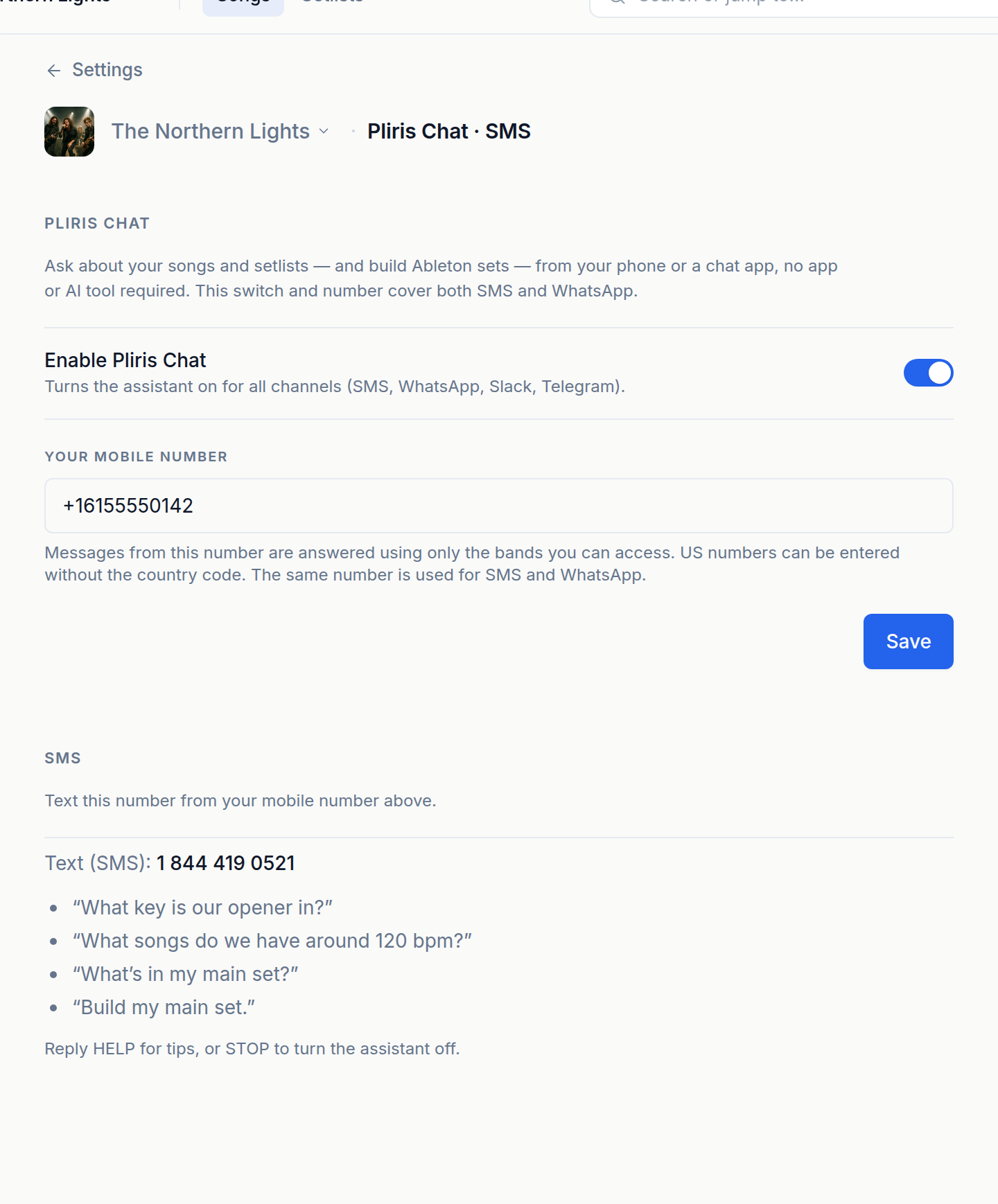
Pro tip: How does it know it's you? SMS and WhatsApp recognize you by the mobile number you saved, Slack by your Slack email, and Telegram by a one-time link. In every case the assistant runs strictly under your permissions and role.
3. Set an admin PIN (recommended)
Reading your catalog never needs a PIN. But actions that could be triggered from a lost phone — member changes and builds — are protected by a short admin PIN.
- Set one anytime by messaging the assistant:
SET PIN 1234(any 4–6 digits). - When an action needs it, you reply with the PIN instead of YES.
- Setlist edits use a plain YES confirmation, not the PIN.
You can set the PIN from any channel; it applies everywhere.
Set up each channel
SMS
Text your questions to the From Studio to Stage number shown on the SMS settings page:
+1 844 419 0521
Message it from the mobile number you saved above and you're recognized automatically — nothing else to set up. Standard carrier message rates may apply.
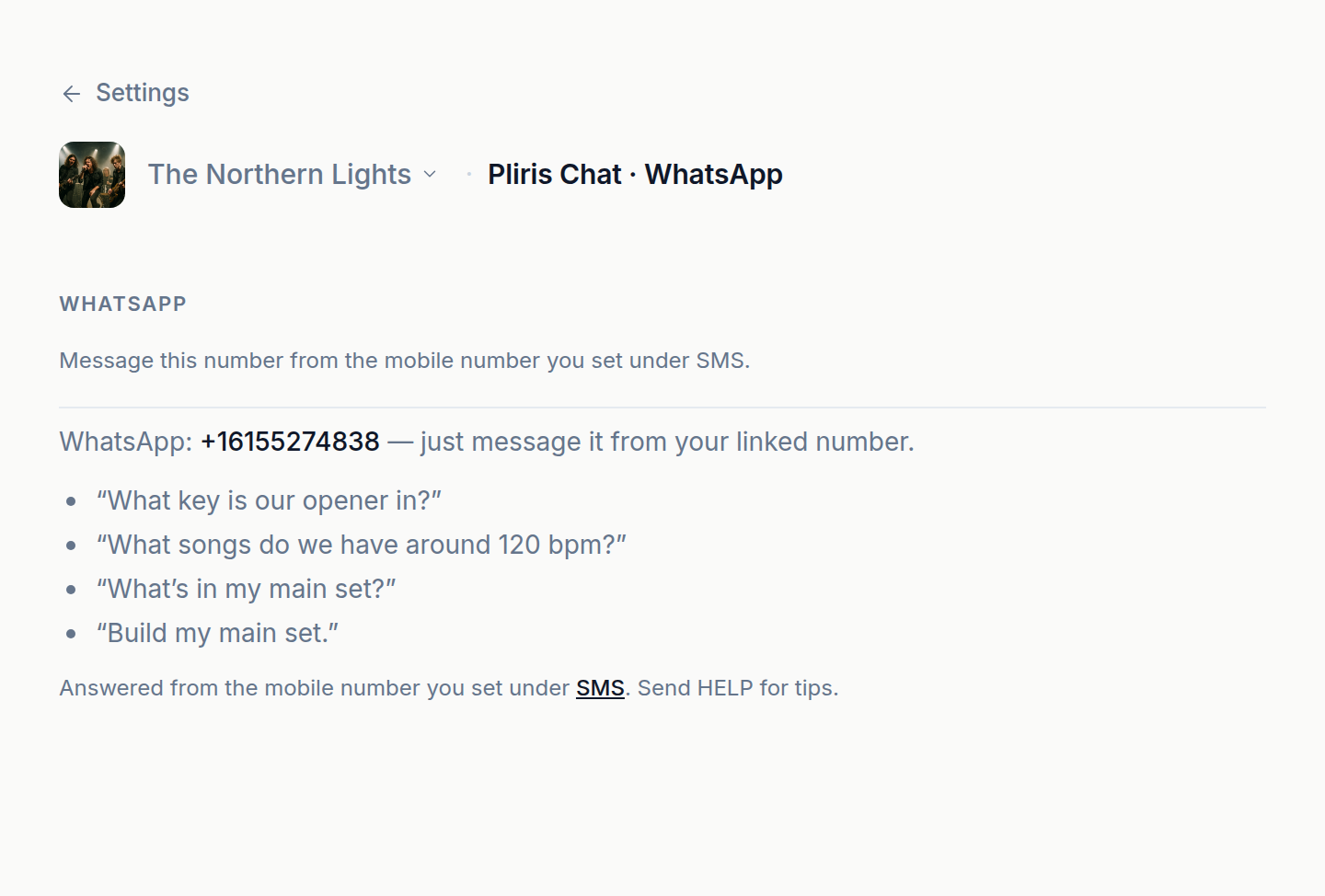
Message Pliris on WhatsApp at its own dedicated number — this is not the SMS number:
+1 615 527 4838
WhatsApp shares SMS's on/off switch and recognizes you by the same saved mobile number, so there's nothing extra to set up:
- Make sure Pliris Bot is enabled and your mobile number is saved (see Turn it on above).
- Message +1 615 527 4838 on WhatsApp from the mobile number you saved. You're recognized automatically.
(You'll also find this number on Settings → Pliris Bot → WhatsApp.)
Slack
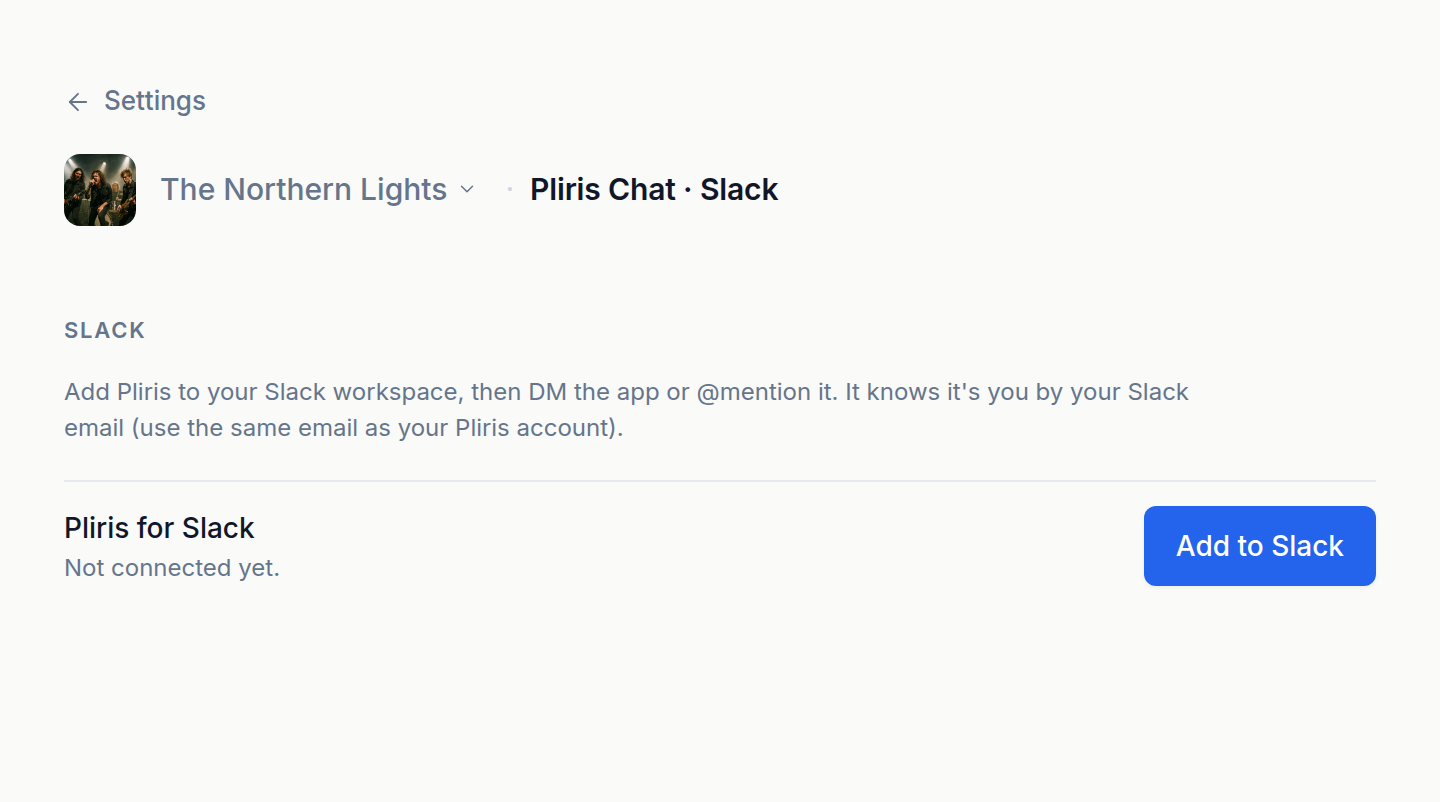
Bring Pliris into a workspace so you and your bandmates can ask right where you already talk.
- Go to Settings → Pliris Bot → Slack.
- Click Add to Slack and approve the install for your workspace.
- Back in Slack, DM the Pliris app or @mention
@Plirisin any channel.
It knows it's you by your Slack email, so use the same email as your Pliris account. If your Slack email is different, message the bot link <code> using a code from the Slack settings page.
Telegram
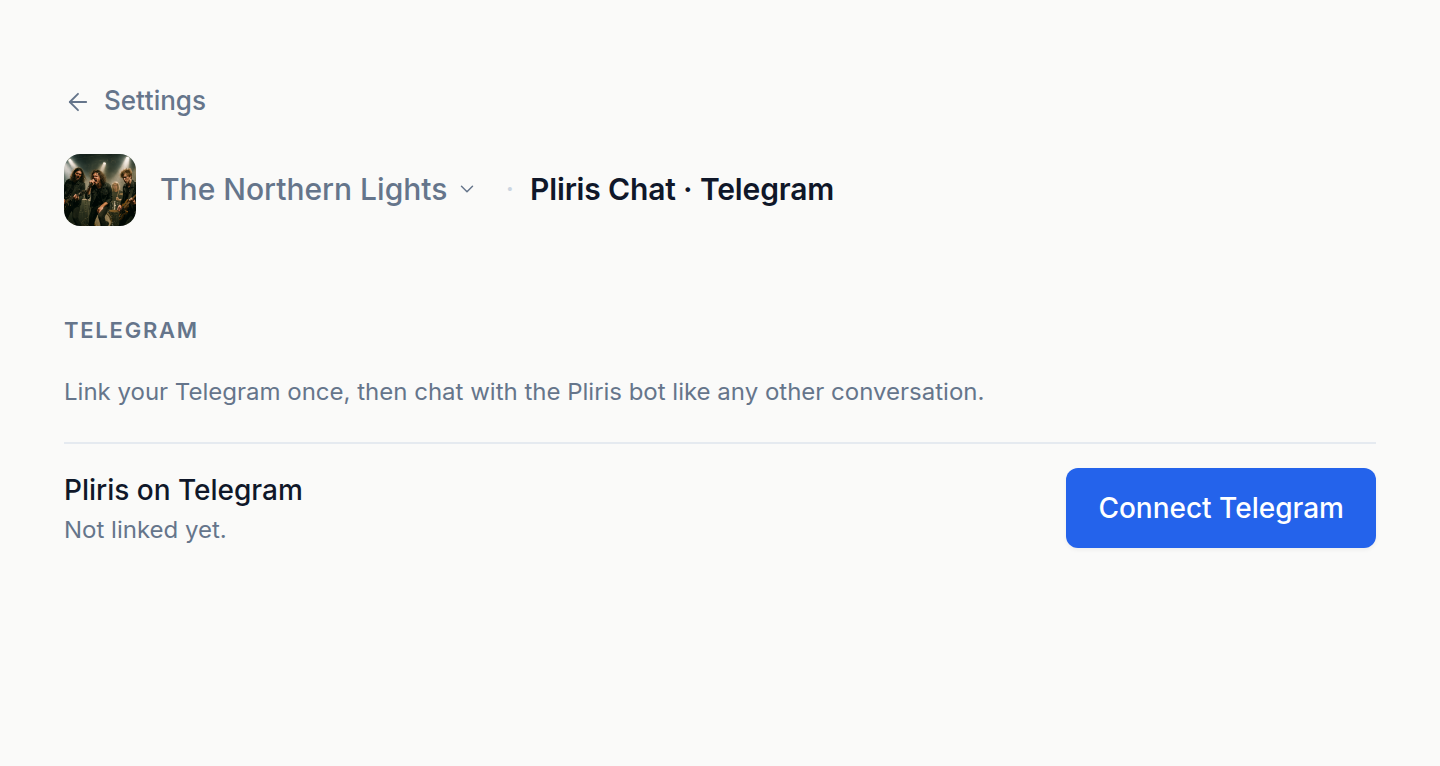
- Go to Settings → Pliris Bot → Telegram.
- Click Connect Telegram and either follow the link into Telegram or send the one-time
link <code>to the Pliris bot. (The code expires in 15 minutes.) - After that, just chat with the bot like any other conversation.
What you can say
Everything below works the same on every channel. Just type a normal message — you don't need exact wording or commands; the assistant reads plain English. Each example shows a realistic question and the kind of reply you'll get back. (The band, songs, and setlists here are made up — you'll see your own catalog.)
Anything that reads your catalog happens instantly. Anything that changes it asks you to confirm first (YES for setlist edits, your PIN for member changes and builds), so a stray message never takes effect.
Ask about songs — keys, tempos, lengths, time signatures
Ask anything about your songs, arrangements, and setlists in plain English. Answers are drawn only from the bands you can access.
You: What key is Ghost Signal in? Pliris: Ghost Signal is in E minor, 84 BPM, 4/4. It runs about 4:12.
You: What songs do we have around 120 bpm? Pliris: Around 120 BPM you have: Paper Cities (118), Hollow Coast (122), and Midnight Static (120).
You: Anything in C minor? Pliris: In C minor: Crooked Halo and Slow Weather.
You can also ask a song's length or time signature, "what's the fastest song in the set", "which songs are in E", and so on.
List your bands
You: What bands do I have? Pliris: Your bands: Neon Harbor, The Lastlight.
List your setlists
Name a band to scope it, or leave the band out to see setlists across all your bands. The number in parentheses is how many songs are in each.
You: What setlists do I have? Pliris: Setlists — Neon Harbor: Friday Headline (7), Acoustic Set (9). The Lastlight: Summer Tour (5).
You: What setlists are in Neon Harbor? Pliris: Setlists: Friday Headline (7 songs), Acoustic Set (9 songs).
Show a setlist
Pull up a setlist in order, with each song's length and a running total.
You: What's in the Friday Headline set? Pliris: Friday Headline:
- Ghost Signal — 4:12
- Paper Cities (Extended) — 8:53
- Hollow Coast — 5:41
- Midnight Static — 6:02 Total: 42:19
If some songs don't have a length set, the total notes how many were skipped.
See who's in a band
You: Who's in Neon Harbor? Pliris: Members: Mara Quinn — admin; Devon Reyes — member; Sam Okafor — member.
Preview a change — before you make it
Want to know how a change would affect your set without actually changing anything? Ask a "what if" question. The assistant works out the new total and confirms that nothing was changed.
You: If I added Crooked Halo to Friday Headline, how long would the set be? Pliris: Friday Headline is 42:19 now (7 songs). Adding "Crooked Halo" (4:12) → 46:31 (8 songs). Not added — say "add it" to actually add.
You: What would Friday Headline be without Paper Cities? Pliris: Friday Headline is 42:19 now (7 songs). Removing "Paper Cities (Extended)" (8:53) → 33:26 (6 songs). Not removed — say "remove it" to actually remove.
You: If I swapped Paper Cities to the shorter version, how long? Pliris: Friday Headline is 42:19 now. Swapping Paper Cities: Extended (8:53) → Radio (4:30) makes it 37:56. Not changed.
For a swap you can say "shorter"/"longer" or name the arrangement (e.g. "the Radio version"). If more than one fits, the assistant lists the options.
Add or remove a song — reply YES
Editing a setlist takes one confirmation, so a stray message can't reshuffle your set.
You: Add Crooked Halo to the Friday Headline set. Pliris: Add "Crooked Halo" to Friday Headline? Reply YES to confirm. You: YES Pliris: Added "Crooked Halo" to Friday Headline (#8).
You: Remove Paper Cities from Friday Headline. Pliris: Remove "Paper Cities (Extended)" from Friday Headline? Reply YES to confirm. You: YES Pliris: Removed "Paper Cities (Extended)" from Friday Headline.
Reply CANCEL (or NO) instead of YES to drop it. A pending confirmation lasts about 10 minutes.
Invite or remove a member — reply with your PIN
Member changes are protected by your admin PIN. The assistant confirms the exact role and access before it does anything.
You: Invite devon@neonharbor.com as a member of Neon Harbor with manage access. Pliris: Invite devon@neonharbor.com as a member of Neon Harbor with manage access? Reply with your admin PIN to confirm. You: 1234 Pliris: Invited devon@neonharbor.com as a member of Neon Harbor with manage access. They'll get an email to accept.
The assistant never guesses the role or access. If you don't specify, it asks:
- Account admin — full access to every band, now and in the future, or
- Band member — scoped to a specific band, with an access level:
- view — browse only
- download — view + download files
- manage — edit songs, setlists, and members
Removing someone works the same way:
You: Remove sam@neonharbor.com from Neon Harbor. Pliris: Remove sam@neonharbor.com from Neon Harbor? Reply with your admin PIN to confirm.
If you haven't set a PIN yet, the assistant tells you to send SET PIN 1234 first.
Build an Ableton set — reply with your PIN
Ask, and Pliris builds a fully-formatted Ableton Live set in the cloud — a whole setlist or a single song — on a Playback template, then messages you back the download link on the same channel when it's ready (usually a few minutes).
You: Build my Friday Headline set. Pliris: Build "Friday Headline" on pro? Reply with your admin PIN to confirm. You: 1234 Pliris: Building "Friday Headline" (playback_pro). I'll send you the download link when it's ready (usually a few minutes).
…and a few minutes later, a message with the download link.
Choose a template by naming it — Playback Pro (default), Playback Standard, or Playback Intro — e.g. "Build the Playback Standard set for our acoustic set." You can also build a single song: "Build Ghost Signal."
On SMS or WhatsApp you can add "and send it to the band" to also text the download link to bandmates who have a mobile number on file. For the full build, custom-template, and analysis options, see Cloud Builds, Custom Templates & Analysis.
Built-in commands
A few short commands work as exact words on any channel:
| Send | What it does |
|---|---|
| HELP | Lists what the assistant can do. |
| SET PIN 1234 | Sets (or changes) your admin PIN — any 4–6 digits. |
| STOP | Turns the assistant off for you. On Slack/Telegram it unlinks you; on SMS/WhatsApp it disables texting. Re-enable anytime in Settings. |
| YES / CANCEL | Confirms or cancels a pending setlist change. |
Good to know
- It's always you. Every answer and action runs under your own permissions, role, and subscription — the same checks as everywhere else in Pliris™.
- It remembers the last few messages. You can answer a "Which band?" or "Which one?" follow-up with just the name, or say "add it" after a preview. Short conversation memory lasts about 20 minutes.
- Confirmations expire. A pending YES/PIN confirmation is good for about 10 minutes, then you'll need to ask again.
- PINs aren't stored in the conversation. Your PIN digits are never saved to message history. Three wrong PIN attempts cancel the pending action.
- One number per person. A mobile number can be linked to a single Pliris account.
- Standard message rates from your carrier may apply on SMS.
Frequently asked questions
How do I turn on Pliris Bot?
Pliris Bot is a beta feature for active Pliris subscribers. First, an account admin turns it on once for your band under Settings → Beta features (if you're not an account admin, ask yours). Then open Settings → Pliris Bot, switch on Enable Pliris Bot, add your mobile number, and Save.
Is Pliris Bot the same as Pliris Chat?
Yes. Pliris Chat was the earlier name. Same assistant, same numbers, same settings page.
What number do I text to use Pliris over SMS?
Text +1 844 419 0521 from the mobile number you saved under Settings → Pliris Bot → SMS (with Enable Pliris Bot toggled on) — Pliris recognizes you by the number you send from. Standard carrier message rates may apply.
Is the Pliris WhatsApp number the same as the SMS number?
No — WhatsApp has its own dedicated number, +1 615 527 4838. It shares the SMS page's on/off switch and recognizes you by the same saved mobile number, so once SMS is set up there's nothing extra to configure for WhatsApp.
Can a stray text message accidentally change my setlist?
No — anything that changes your catalog asks you to confirm first: setlist edits need a YES reply, and member changes and builds need your admin PIN. A pending confirmation expires after about 10 minutes, and reading your catalog never changes anything.
Do I need a PIN to ask Pliris Bot questions?
No — reading your catalog (keys, tempos, setlists, members) never needs a PIN. The admin PIN only protects member changes and Ableton builds; set one from any channel by messaging SET PIN 1234 (any 4–6 digits).
Can I build an Ableton set by text message?
Yes — ask something like "Build my Friday Headline set", confirm with your admin PIN, and Pliris builds the set in the cloud on a Playback template and messages you the download link on the same channel, usually within a few minutes. On SMS or WhatsApp you can add "and send it to the band" to text the link to bandmates too.
How do I turn Pliris Bot off?
Send STOP on any channel — on Slack and Telegram it unlinks you, and on SMS and WhatsApp it disables texting. You can re-enable it anytime under Settings → Pliris Bot.
Where to go next
- Prefer an AI assistant or the API? See Connecting AI Assistants & the Pliris API (MCP).
- Live in a terminal? Set up The Pliris CLI.
- New to setlists? See Building and Sharing a Setlist.
Stuck at any point, click the support bubble in the bottom-right corner of any page, or email support@fromstudiotostage.com. You'll hear back within 24 hours.